Showing posts with label xposed. Show all posts

Thursday, 31 August 2017

[ROM] MIUI v6 5.7.16 for lava iris x8 (mt6592)


[ROM] MIUI v6 5.7.16 for lava iris x8 (mt6592)
Features
Rooted
FM Radio Working
Bluetooth Working
Mi Themes, fonts, wallpapers
Miui 6 Boot animation
Stable as Rock
Smooth as butter
MIUI ROM 5.7.16 Full Changelog
[System]
Optimization - Adjusted One-handed mode title color (07-13)

[Contacts]
Optimization - When adding new contacts in Global version, IM default icon became Skype (07-08)

[Messaging]
New - All notification messages are collected into one folder (India) (07-15)

[Lockscreen, Status Bar, Notification Bar]
Optimization - Display height of lockscreen notifications (07-08)
Fix - Sometimes, prevent misoperation panel appeared incorrectly (07-06)
Fix - Sometimes prevent misoperation mode did not work (07-06)
Fix - Sometimes, pressing lockscreen notification did not lead to the corresponding app (07-08)
Fix - Lockscreen notifications could not display dynamic icons (07-13)
Fix - Sometimes notification shade could not be pulled down (07-13)

[Gallery]
New - Allow downloading cloud album photos using mobile data (07-13)
Fix - Slowness in finding projection devices (07-13)
Fix - Incorrect album covers (07-15)

[Music]
New - Support amr type music files (07-13)
New - Mi Sound Enhancer supports Mi Headphones and Mi Piston Youth Edition (07-13)
Optimization - Reduced Music app launching time (07-13)
Optimization - Reduced occurring times of 'Not enough memory' error (07-13)
Fix - High quality audios could not be downloaded (07-13)

[Settings]
New - Added animation introduction for one-handed mode settings (07-06)

[Calendar]
Optimization - Optimized smoothness of swiping left/right in Monthly view (07-07)
Fix - Calendar might FC when several reminders rang at the same time (07-07)

[Data Usage]
New - Added the feature to recommend to optimize apps so that a large amount of data can be saved (07-03)
New - Data saver supports setting image compression ratio (07-03)
Optimization - Optimized RAM usage (07-03)
Optimization - Optimized daily data usage limit strategy for the last day of a month (07-03)
Optimization - Allow setting data usage limit for lockscreen notifications, and a threshold will be recommended according to the data plan (07-10)

[Blocklist]
New - Support blocking numbers according to the times it has been reported (07-13)

[Notes]
Fix - Inserted images width displayed incorrectly in Mi Note Pro (07-10)

[Clock / Calculator]
Optimization - Ascending volume interval was changed from 5 seconds to 2 seconds (07-08)
Optimization - Alarm clock max auto-silence time was changed to 10 minutes (07-08)
Fix - Sometimes alarm clock could not be turned off (07-08)
Fix - Stopwatch might keep the screen awake (07-15)

[Cleaner]
New - Support deleting duplicate photos from Gallery (07-14)


Download Links: ROM
Google drive link
Thanks to Shyam for uploading it... ROM

must flash patch !!!!!!! if u dont then U MAY CORRUPT THE SYSTEM FLASH THIS AFTER FLASHING THE ROM !!!!!! !!!! 

 PATCH 1 LINK

PATCH 2 LINK

for rooting use kingroot or flash this : link

for internal storage and other problems use xposed and install xiinternalsd links here 
xposed : link
xinternal sd : link

**use this tools to download if u cant download it : link
tips u can flash dolby and music mod for kitkat for best xperience

Monday, 28 August 2017

Resurrection Remix ROM for lava iris x8


About Resurrection Remix ROM
Installation
Downloads 
About Resurrection Remix ROM 


Resurrection Remix the ROM has been based on CM,slim.omni and original Remix ROM builds, this creates an awesome combination of performance, customization, power and the most new features, brought directly to your Device
Many things that in previous versions were tweaked with mods, are now included by default in the ROM so, please enjoy!
Special thanks to, the CM team,OMNI team ,SLIMROMS and of course to all the supporters
Included Main Features


-Navigation Bar
-Enable/Disable Navbar
-Navbar Ring Switch
-Navbar Ring Targets
-Navbar Button Customization
-Navbar Dimensions(Potrait & Landscape)

-Statusbar
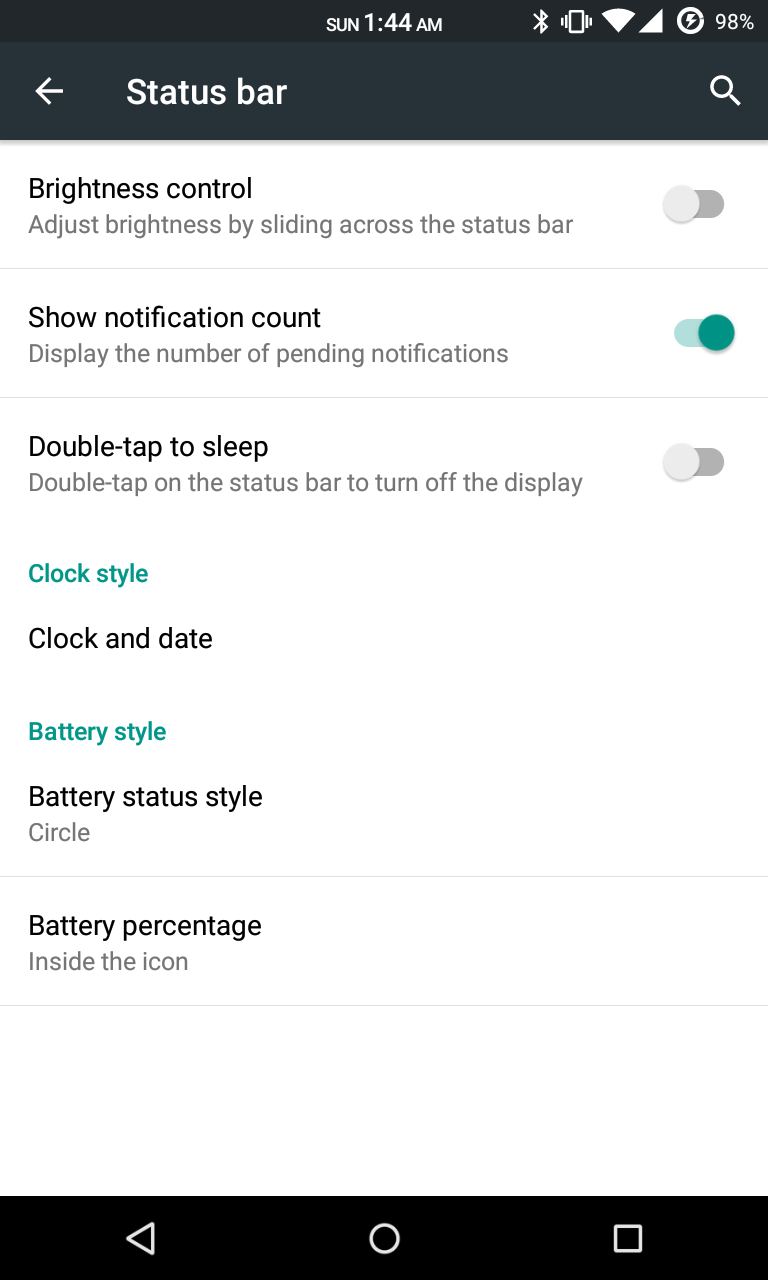
-Brightness Slider
-Enable/Disable Show Notification Count
-SuperUser Indicator Switch
-Carrier Label
-Carrier Label Switch
-Carrier label Colour
-Quick PullDown Switch
-Smart Pulldown Switch
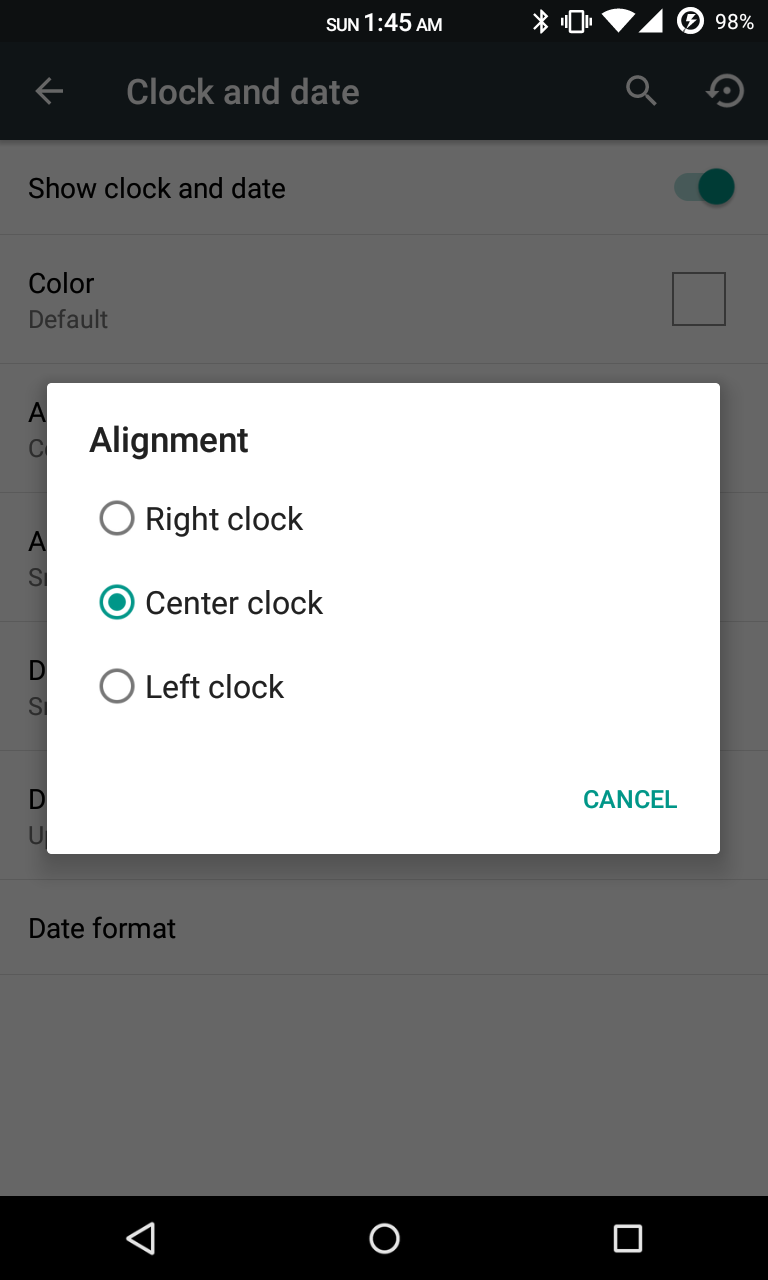
-Clock Customizations
-Time & date
-Clock Colour
-Day & date Toogle
-Center Clock/Right Clock Choice
-Battery
-Battery Bar customization
-Battery Icon Customization(circle/landscape/Potrait and more)
-Battery % Text
-Network Traffic Indicator

-Theme Chooser
-RR exclusive PITCH BLACK THEME
-Animations
-Toast Animations
-ListView Animations
-System Animations

-Gestures
-Gestures Anywhere Feature

-App Circle Bar
-Choose apps in App circle
-Trigger Width
-Trigger Hieght
-Trigger Position

-Recents Panel
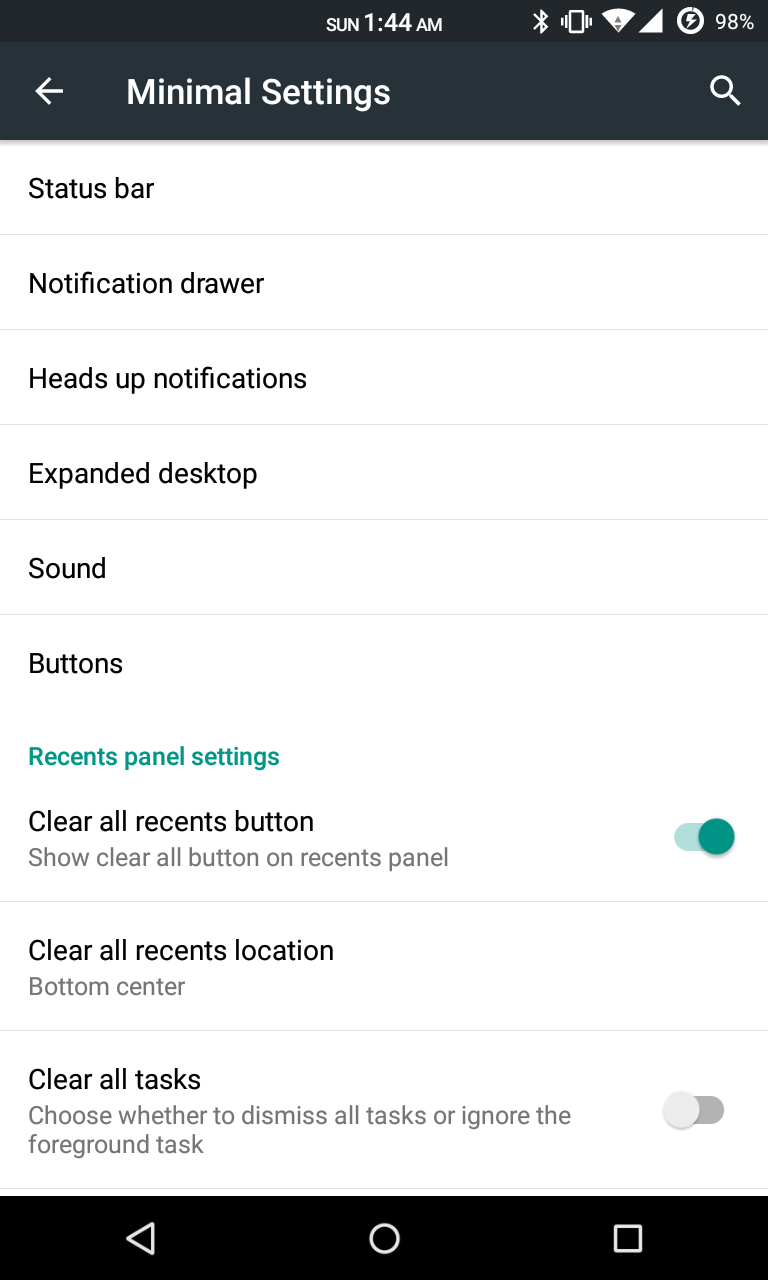
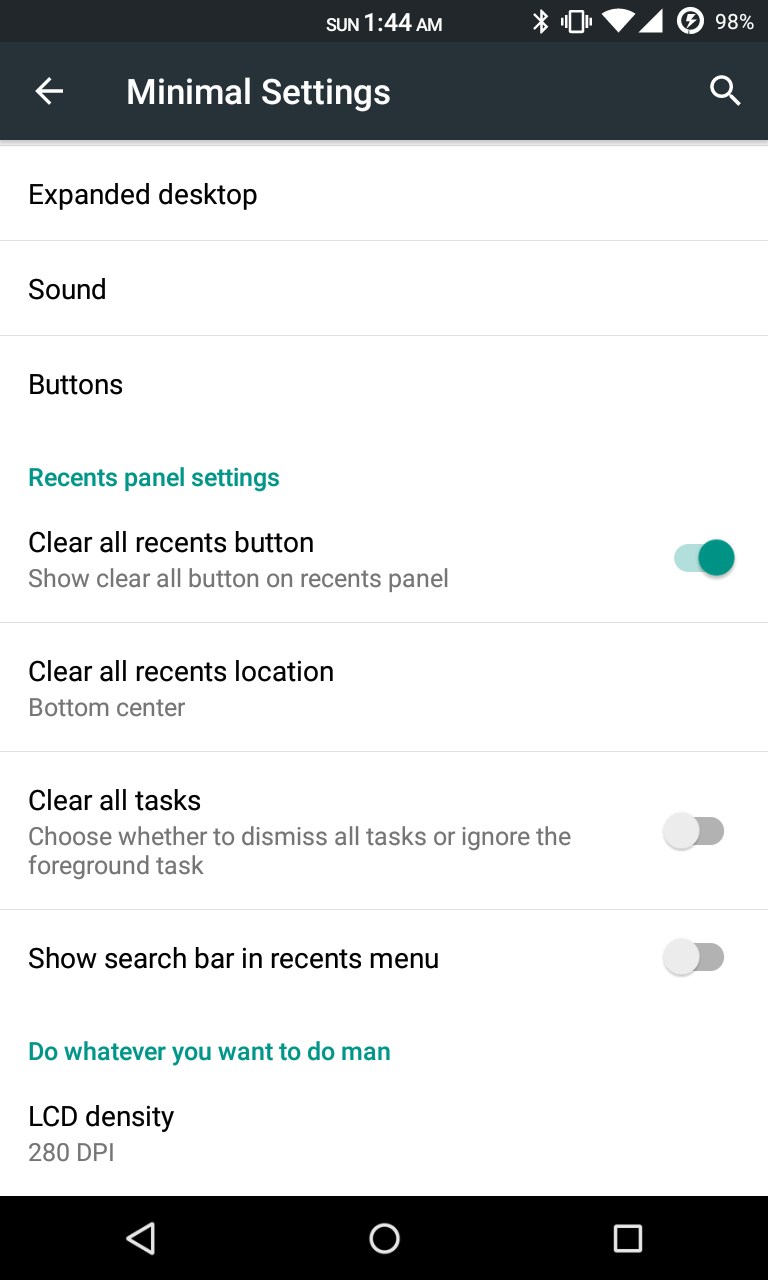
-Clear All button Switch
-Clear All Tasks Switch
-Clear All Button Location(Top right,Top Left,Top Center,Bottom Left,Bottom Right,Bottom Center)

-Cclock Widget
-CLock And Alarm Customizations
-Weather Panel Customizations
-Calender Events

-LockScreen
-Lockscreen Shortcuts
-Choose upto 5 Shortcuts
-100+ Icons for Shortcuts

-Quick Slider Shortcuts

-Notification Drawer
-Weather Display Switch
-Quick Settings
-Choice to Add 20+ Tiles
-Enable 2/3/4 Tiles per Row
-Enable Disable Birghtness Slider in Notification Panel
-Advanced Location Settings Switch(Choose Battery saving/Device Only/High Accuracy Directly in Notification Panel)
-LongPress Toogles to Enter Settings

-Buttons
-Backlight Timer
-Backlight Strength
-Navigation Bar left/Right handed mode Switch
-Power Menu
-Power Menu End Calls Switch

-Home Button(For devices with HW keys Only)
-Home Button Wake Up
-Home Button answer call
-Long Press Actions
-Double Tap Actions

-Back Button(For devices with HW keys Only)
-Wake Up device Switch

-Menu Button(For devices with HW keys Only)
-Wake Up Device Switch
-Short Press Actions
-Long Press Actions

-Search Button(For devices with HW keys Only)
-Wake Up Device
-Short Press Action
-Long Press Action

-Volume Buttons
-Wake Up Device
-Playback Control
-Keyboard Cursor Control
-Swap Buttons on Landscape mode

-Perfomance Profiles
-LCD Density
-Expanded Desktop Mode
-All New CM Audio FX App
-Heads Up Customizations
-OverAll Smoothness Improvements
-Quick Unlock
-Optimizations to Improve Battery
-ALL cm12 Features
-AND MUCH MUCH MORE
NO ONE READ THE THINGS ABOVE ?
I KNOW BUT IF U DONT READ THIS U LL NOT ABLE TO ENJOY THE ROM!!!!!!!!
TESTED BY ME WORKING CLEAN AND BUGFREE USING  philz RECOVERY I M UPLOADING THE RECOVERY TOO IF NO 1 WANTS TO TAKE ANY RISKS
READ THIS CAREFULLY!!!!!!!!!!!!!!!!!!!!!!


[b][i] Installation Insturaction [indent]
- (Remenber only philz and twrp 2.8.6 can flash this rom )
I recommend to flash it over a freshly install pac or cm11 without wiping data ( not necessary u may proceed without pac or cm11)
1) put d rom in external sd card
2) rboot to recovery > wipe cache davilk cache and data(not recommended for cm11 or pac user)
install zip > navigate to sd card > select zip
3) flash d rom
now the real part begins
after booting d rom u will get blutooth fc ignore this
4) now open app drawer (launcher) > open the app named "selinuxchanger"
5) allow root permission
6) then select "permissive"
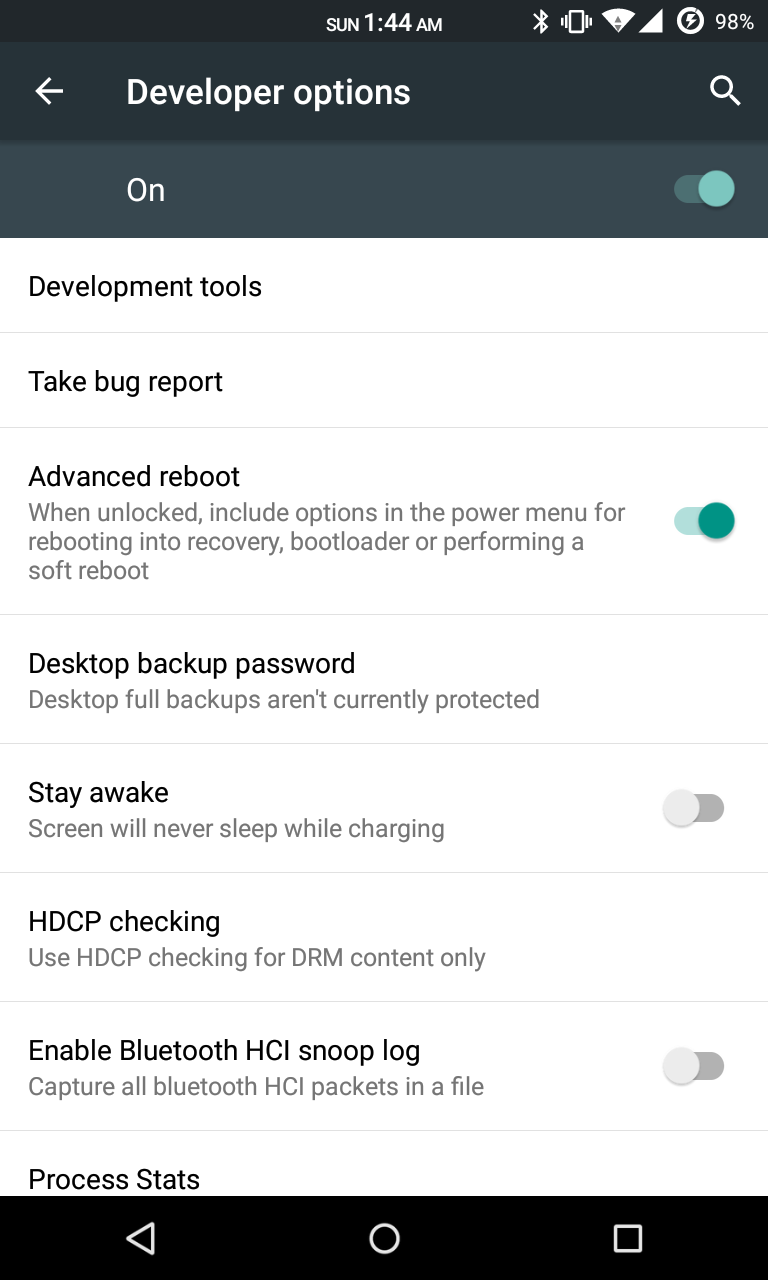
without wasting time navigate to setting > developer setting > turn on advanded reboot
7) hold power button
8) click on reboot
9) select soft reboot
voila camera and sensor starts working

Cam not there in launcher
dont worry install any third party app or use camera from lock screen

wifi not turning off
go to setting > wifi > press action key > select advanced > disable scanning always availale

sound very low?
just enable all 3 buttons down in Dolby atom and use any 3rd party music app


Screenshots


PATCHES :-
1st : link
2nd :   link

SUPER SU FLASHABLE LINK (USE THIS IF U LOVE SUPERSU OR USE INBUILT ROOT LIKE IN CM 12.1) : LINK


philz RECOVERY : LINK


HOW TO FLASH A RECOVERY ?
READ THE XDA THREAD CAREFULLY OR JUST LEAVE IT BUT DONT ASK THESE THINGS AGAIN!!!!!!!


FAQ...
Q:Camera and Sensors are not working.
A:Just soft reboot

Q:I can't see installed Apps In My app drawer.
A:Just FC the launcher..
or try using Other Launchers.. 

Q:Sound is low..
A:Just flash Dolby Atmos from here.And enable all three buttons.
If still facing Low sound...go to audio fx and turn it off

Q.Can't Connect to Computer
A. Just go to storage/USB connection/and tick on mtp...
That's it


JUST READ EVERY THING CAREFULLY!!!!!!!! 
HIT LIKE ON XDA TOO IF U LOVED MY WORK OR WANT MORE ROMS :)

Wednesday, 23 August 2017

[ROM] MIUI v7 5.9.17 Global For MT6592 (Dual 3G)

[ROM] MIUI v7 5.9.17 Global For MT6592 (Dual 3G) FOR PORTERS ONLY 
Disclaimer: I am not Responsible to any or what may happen to your device.
Make Sure you have a full back up of you stock rom (Current rom)
The ROM is fully tested and Currently on running on my device.
MIUI 7 China Developer ROM 5.9.17 Update Highlights
[System]
Cleanup in Recents now supports cleaning app cache
[Music]
New Music App Interface
MIUI 7 China Developer ROM 5.9.17 Full Changelog
[System]
Optimization - Clean up shortcut supports cleaning apps' cache (09-15)
Optimization - Apps locked in recent task page will not be closed by system when remaining RAM is low (09-15)
Optimization - Reduced WiFi power consumption (09-17) (Redmi Note 2)
Fix - In some situations the screen might flicker (09-17) (Redmi Note 2)
Fix - Sometimes switching WiFi caused the system to get stuck (09-17) (Redmi Note 2)
Fix - There were noises when playing some games after turning media volume off (09-17) (Redmi Note 2)
Fix - Sometimes bluetooth car kit could not be connected (09-17) (Redmi Note 2)
[Lockscreen, Status Bar, Notification Bar]
Optimization - Reduced status bar RAM usage (09-15)
Fix - Sometimes, notifications' order changed automatically in Notification shade (09-15)
Fix - Music widget play/pause button had error in some situations (09-15)
Fix - Sometimes status bar disappeared (09-15)
[Home screen]
Optimization - Removed 'Lock SMS' option from Child mode (09-14)
Optimization - Unified third party apps' launching animation (09-14)
Optimization - Enhanced home screen smoothness and speed of opening folders (09-15)
Fix - Black line in right side of screen after formatting device/initilaizing home screen (09-14)
Fix - Display error when using images taken by the device as wallpaper (09-14)
[Gallery]
Optimization - Reduced large image page RAM usage (09-15)
Optimization - Optimized cloud albums large image downloading progress bar style (09-15)
Optimization - System will use default wallpaper when stop using baby album as lockscreen wallpaper (09-15)
Optimization - Support setting avatar and background image for baby album (09-15)
Fix - Sometimes, recommendation text overlapped with current images (09-15)
[Music]
New - Brand new UI with more music resources (09-15)
[Calendar]
Fix - SwiftKey keyboard could not input Chinese in Calendar app (09-15)
[Clock / Calculator]
Optimization - Added vibration when pressing the options at the bottom of clock page (09-16)
Installation:
CWM:
Reboot To Recovery
- Wipe all Data
- Wipe Cache
- Wipe Dalvik Cache
Install Zip
- ROM
- Dap
- KingUser
Reboot ! & Enjoy
PhilZ:
Reboot To Recovery
- Wipe all Data
- Wipe Cache
- Wipe Dalvik Cache
Install Zip
- ROM
- Dap
- KingUser
Reboot ! & Enjoy
How to's:
1. Enabling 3G on SIM 2
1. Open the provided Dual SIM Control App and go to Data Connection tab
2. Press on "Set SIM 2 as 3G" it'll now set your SIM 2 in "WCDMA Preferred" mode. Enjoy 3G on SIM 2. If you want to set as "WCDMA Only" mode, follow step 3, 4 & 5
3. go to settings/about phone and tap 4 or 5 times on Internal Memory, it'll lead you to testing mode
4.From Testing, press Phone information 2
5.You'll see "WCDMA Preferred" press it and change it to "WCDMA Only"
credits 
NAMELESS PORTING TEAM'
FACEBOOK
MIUI

ROM DOWNLOAD 

audio patch LINK

Resurrection Remix ROM 5.5.9 FOR PORTERS (MTK 6592/6582)

 
About Resurrection Remix ROM
Installation
Downloads 
About Resurrection Remix ROM 


Resurrection Remix the ROM has been based on CM,slim.omni and original Remix ROM builds, this creates an awesome combination of performance, customization, power and the most new features, brought directly to your Device
Many things that in previous versions were tweaked with mods, are now included by default in the ROM so, please enjoy!
Special thanks to, the CM team,OMNI team ,SLIMROMS and of course to all the supporters
Included Main Features


-Navigation Bar
-Enable/Disable Navbar
-Navbar Ring Switch
-Navbar Ring Targets
-Navbar Button Customization
-Navbar Dimensions(Potrait & Landscape)

-Statusbar
-Brightness Slider
-Enable/Disable Show Notification Count
-SuperUser Indicator Switch
-Carrier Label
-Carrier Label Switch
-Carrier label Colour
-Quick PullDown Switch
-Smart Pulldown Switch
-Clock Customizations
-Time & date
-Clock Colour
-Day & date Toogle
-Center Clock/Right Clock Choice
-Battery
-Battery Bar customization
-Battery Icon Customization(circle/landscape/Potrait and more)
-Battery % Text
-Network Traffic Indicator

-Theme Chooser
-RR exclusive PITCH BLACK THEME
-Animations
-Toast Animations
-ListView Animations
-System Animations

-Gestures
-Gestures Anywhere Feature

-App Circle Bar
-Choose apps in App circle
-Trigger Width
-Trigger Hieght
-Trigger Position

-Recents Panel
-Clear All button Switch
-Clear All Tasks Switch
-Clear All Button Location(Top right,Top Left,Top Center,Bottom Left,Bottom Right,Bottom Center)

-Cclock Widget
-CLock And Alarm Customizations
-Weather Panel Customizations
-Calender Events

-LockScreen
-Lockscreen Shortcuts
-Choose upto 5 Shortcuts
-100+ Icons for Shortcuts

-Quick Slider Shortcuts

-Notification Drawer
-Weather Display Switch
-Quick Settings
-Choice to Add 20+ Tiles
-Enable 2/3/4 Tiles per Row
-Enable Disable Birghtness Slider in Notification Panel
-Advanced Location Settings Switch(Choose Battery saving/Device Only/High Accuracy Directly in Notification Panel)
-LongPress Toogles to Enter Settings

-Buttons
-Backlight Timer
-Backlight Strength
-Navigation Bar left/Right handed mode Switch
-Power Menu
-Power Menu End Calls Switch

-Home Button(For devices with HW keys Only)
-Home Button Wake Up
-Home Button answer call
-Long Press Actions
-Double Tap Actions

-Back Button(For devices with HW keys Only)
-Wake Up device Switch

-Menu Button(For devices with HW keys Only)
-Wake Up Device Switch
-Short Press Actions
-Long Press Actions

-Search Button(For devices with HW keys Only)
-Wake Up Device
-Short Press Action
-Long Press Action

-Volume Buttons
-Wake Up Device
-Playback Control
-Keyboard Cursor Control
-Swap Buttons on Landscape mode

-Perfomance Profiles
-LCD Density
-Expanded Desktop Mode
-All New CM Audio FX App
-Heads Up Customizations
-OverAll Smoothness Improvements
-Quick Unlock
-Optimizations to Improve Battery
-ALL cm12 Features
-AND MUCH MUCH MORE
DOWNLOAD LINKS
HERE

MY YOUTUBE CHANNEL
YOUTUBE.COM/ANDROIDNOOBS
PLEASE SUB MY CHANNEL FOR MORE

Tuesday, 15 August 2017

XPOSED FOR LOLLIPOP (CM 12.1 AND BASED ROMS)

XPOSED FOR LOLLIPOP (CM 12.1 AND BASED ROMS)


Step 1: Download Necessary Files

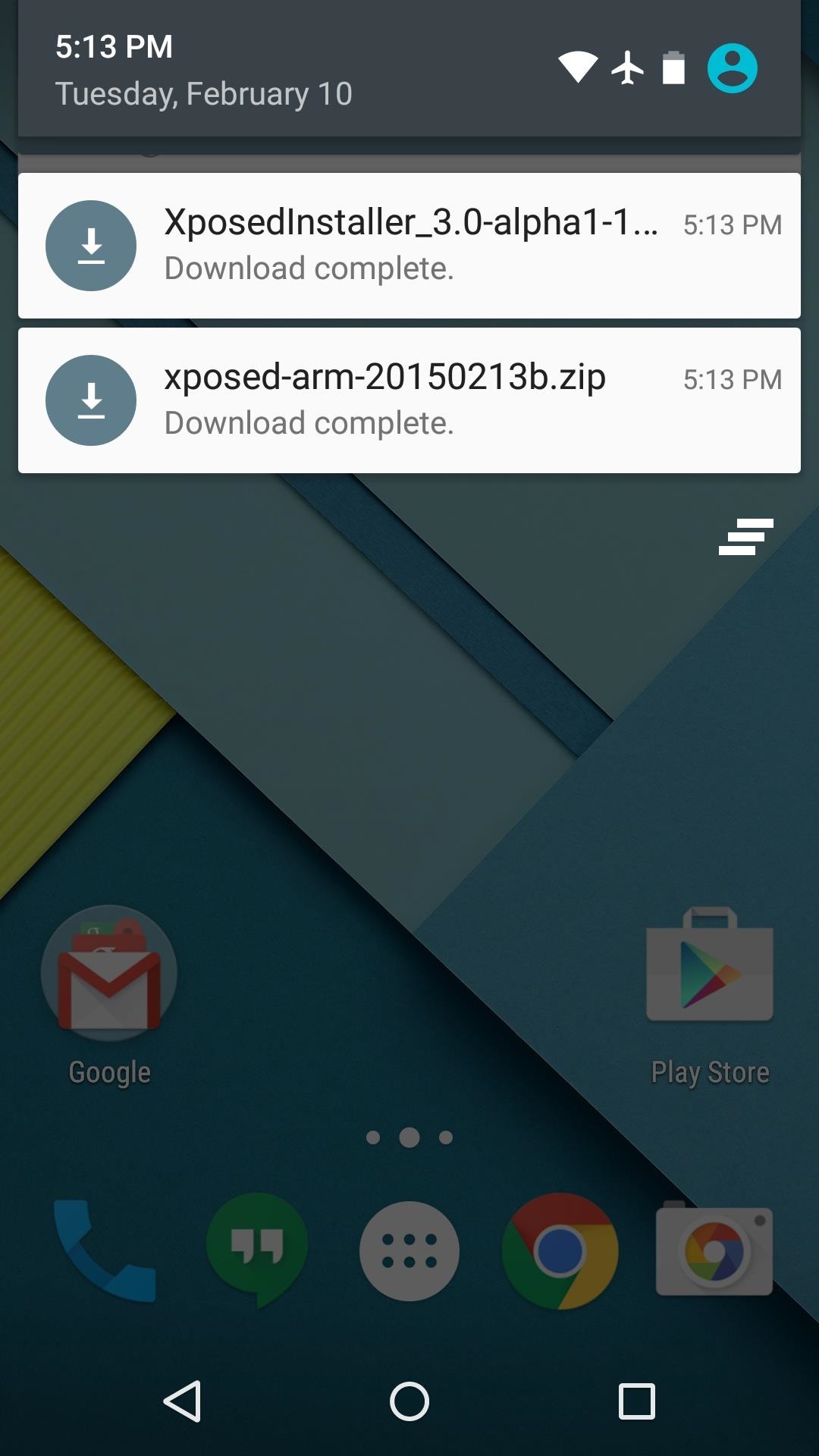
There are two core elements to Xposed—one is the Xposed Framework, which lays all of the groundwork, and the other is the Xposed Installer app, which allows you to download and manage modules. First up, grab a copy of the Installer from the following link:
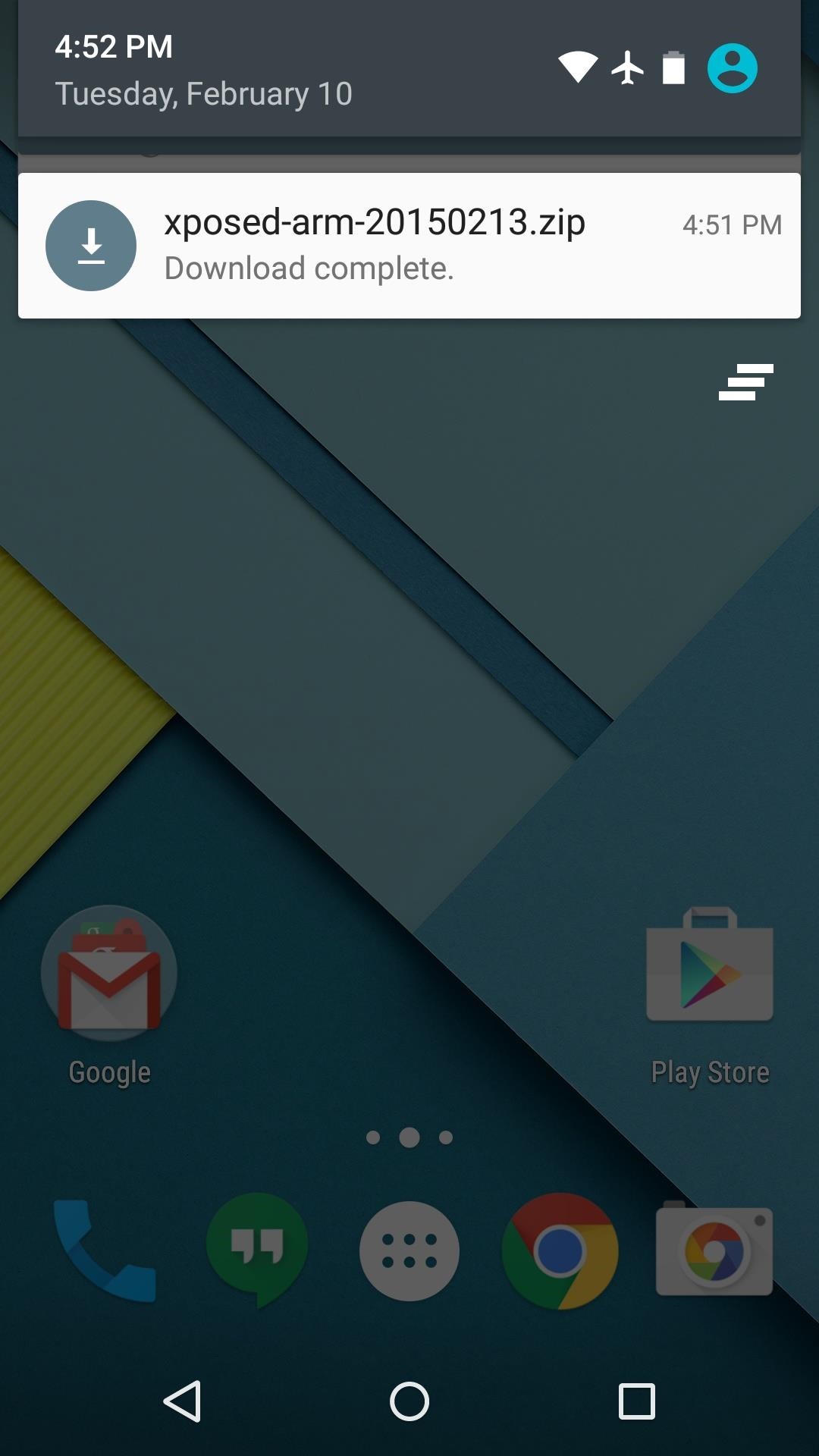
In these early stages of Lollipop development, the Framework will have to be flashed in custom recovery. There are 3 different version of the Framework, and they each correspond to a different type of processor (ARM, ARM 64, x86). If you're not sure about the type of processor your Android device uses, check the spec sheet on a site like GSMArena, then download the corresponding ZIP file from one of these three links:

Step 2: Boot into Custom Recovery

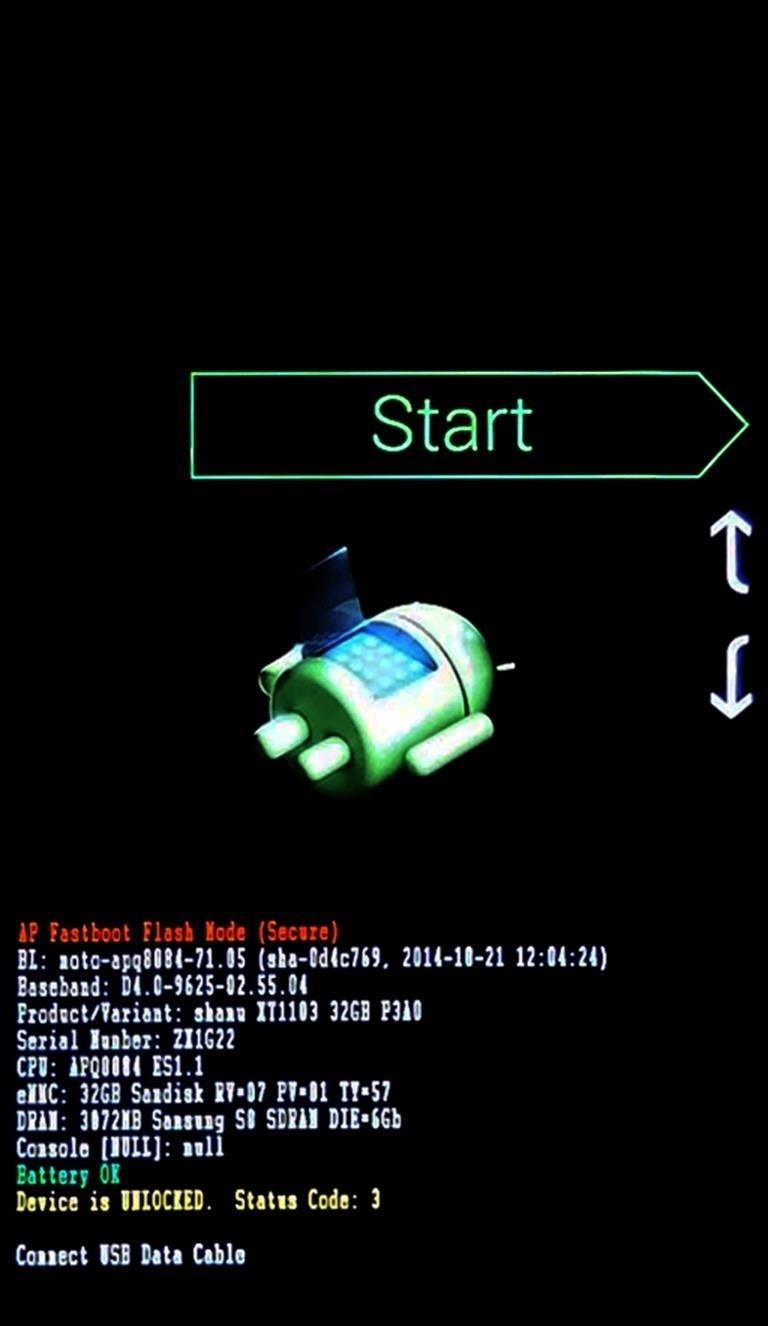
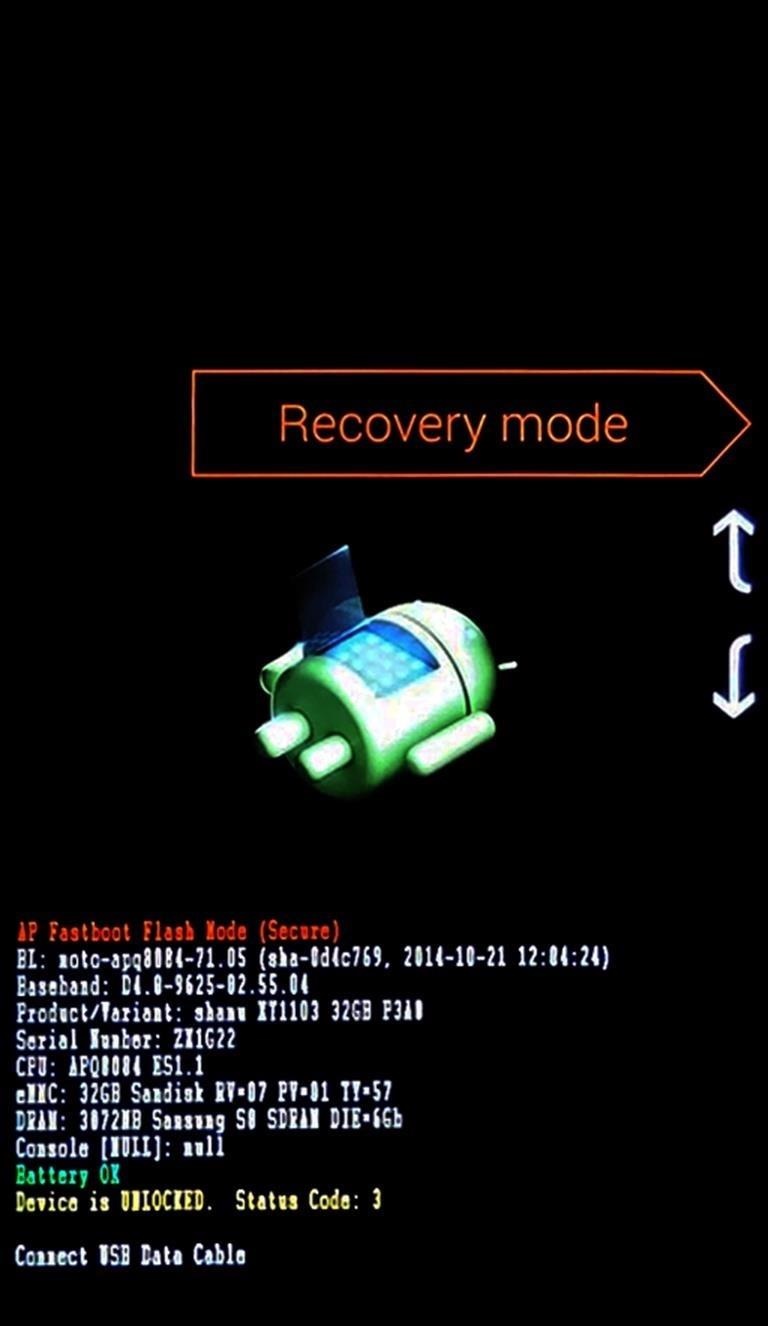
When the files have finished downloading, the next step is to boot into custom recovery. To do that, start by powering your device completely off. This next part may vary, but for most devices, press and hold the volume down and power buttons simultaneously.
This will bring up Android's Bootloader menu. From here, use the volume down button to highlight "Recovery mode," then press the power button to select it.

Step 3: Install the Framework in Custom Recovery

Before you flash anything in custom recovery, it's always a good idea to make a full NANDroid backup. That's extra important in this case, since the Xposed Framework is in its early stages and may cause issues with some devices. Do not skip this step!
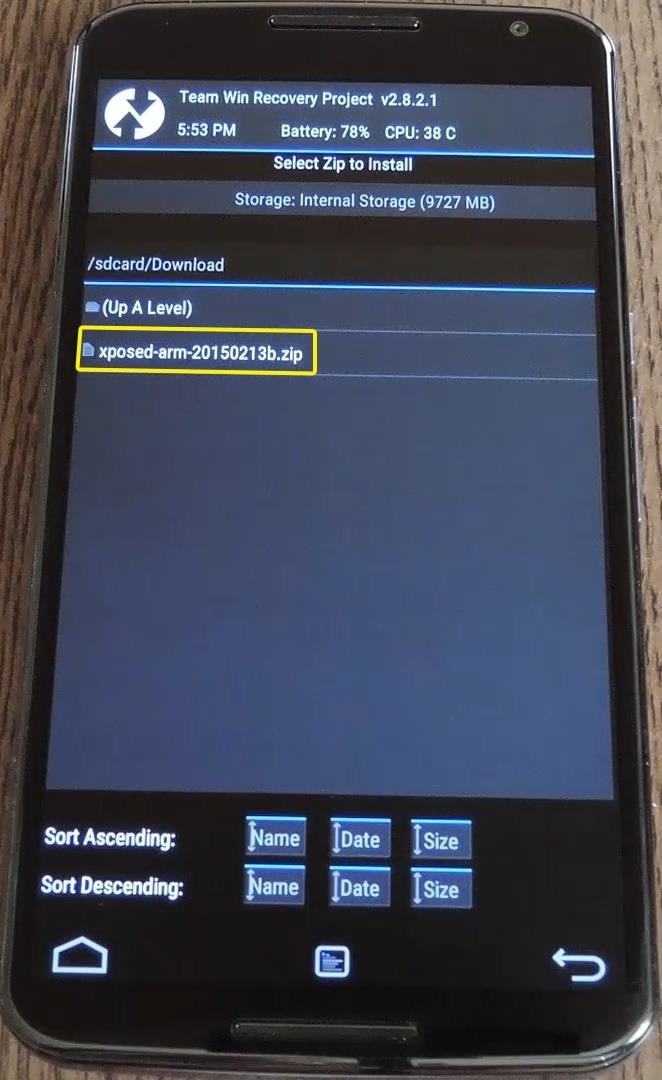
Then, to get started, go ahead and tap the "Install" button from TWRP's main menu. Next, navigate to your device's Download folder, then select the Xposed ZIP file that you downloaded in Step 1.
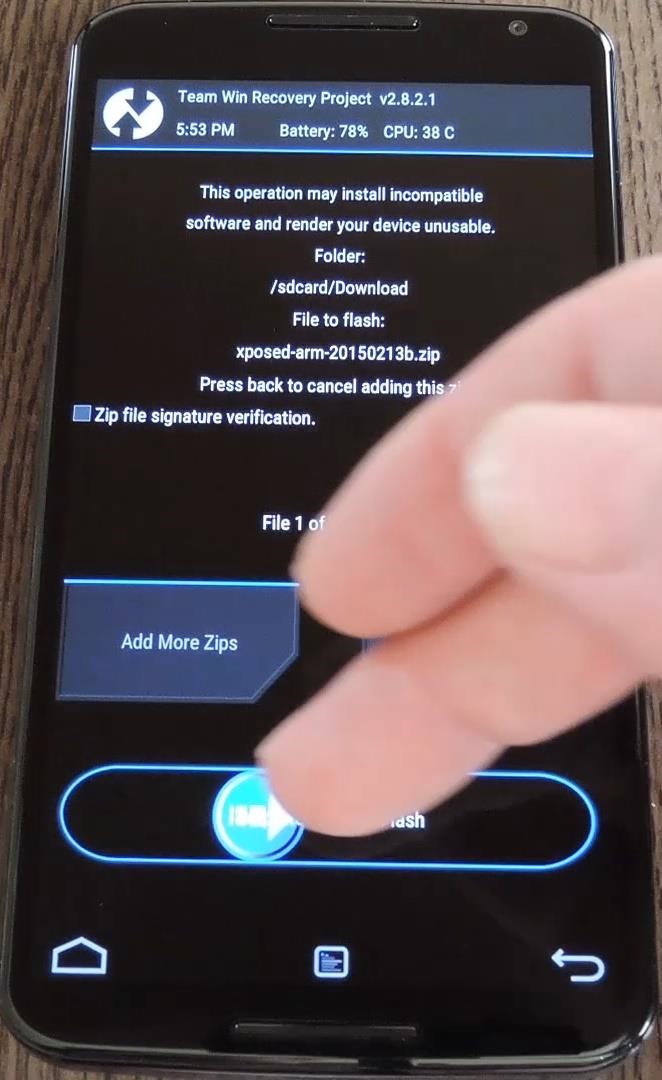
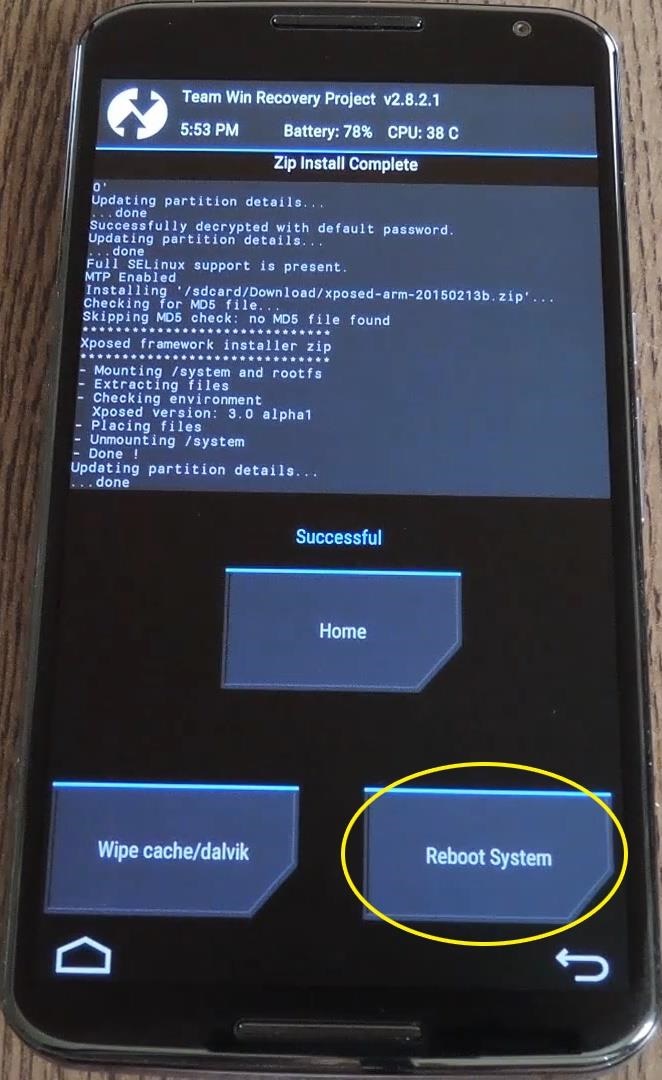
After that, just swipe the slider at the bottom of the screen to install the Framework, and when that's finished, tap "Reboot System."
Your device will take longer than normal to boot up here. This is because the Xposed Framework ZIP had to clear away some library files, which will need to be restored. Expect this process to take at least 10 minutes.

Step 4: Install the Xposed Installer App

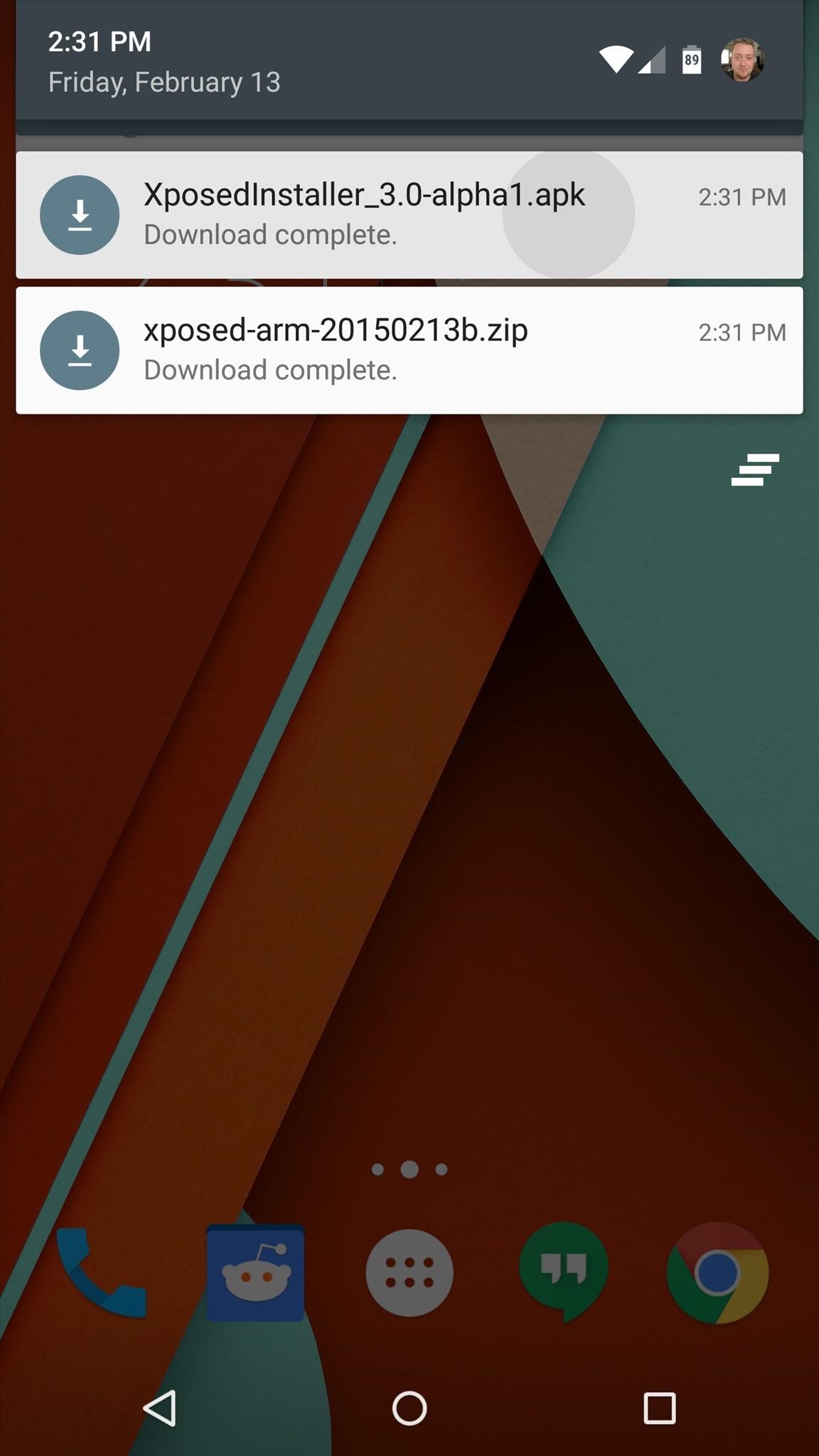
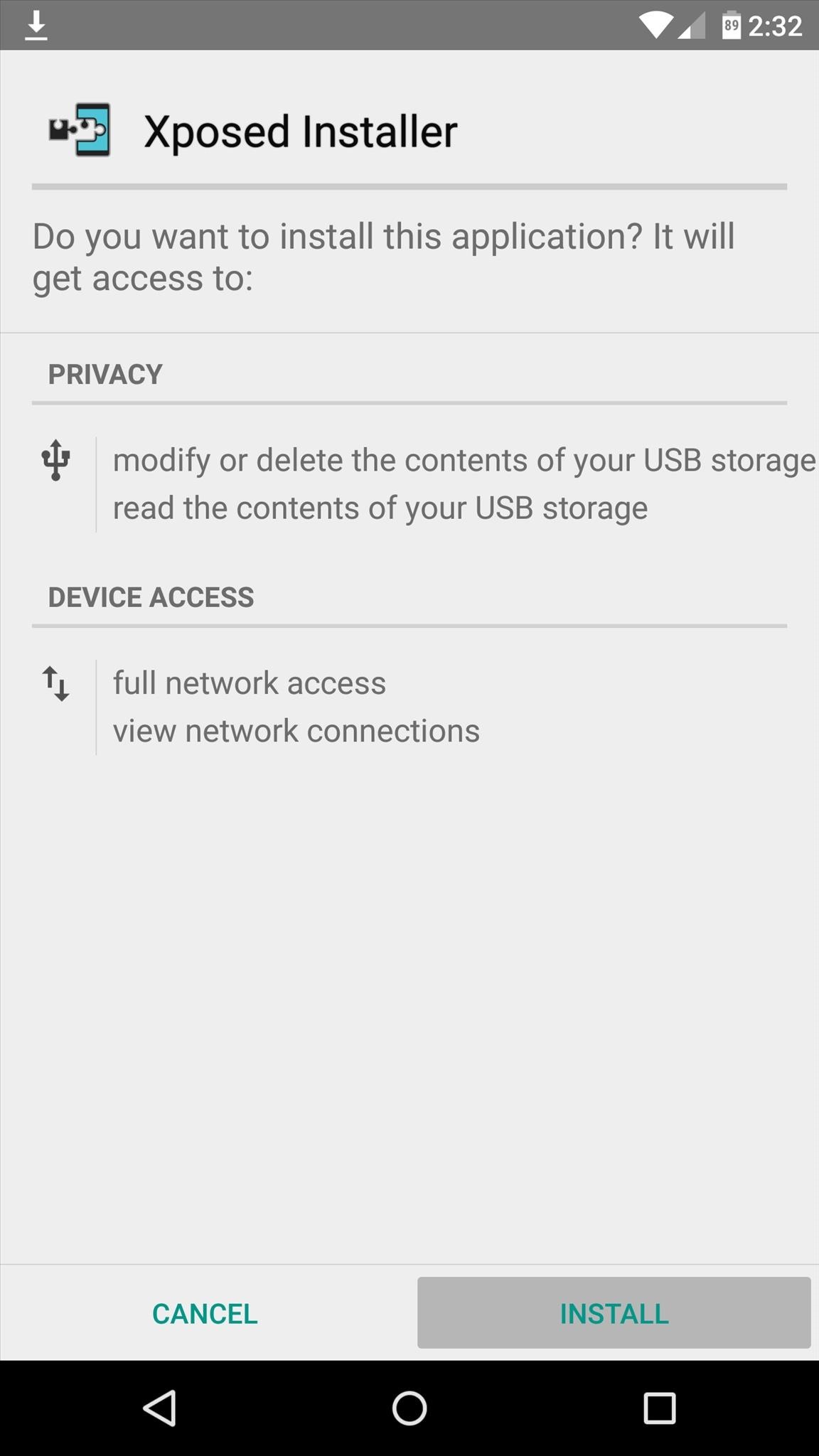
When you get back up, it's time to install the actual Xposed Installer app. Tap the Download Complete notification for the "XposedInstaller_3.0-alpha3.apk" file, then press "Install" and "Open" on the next two menus.
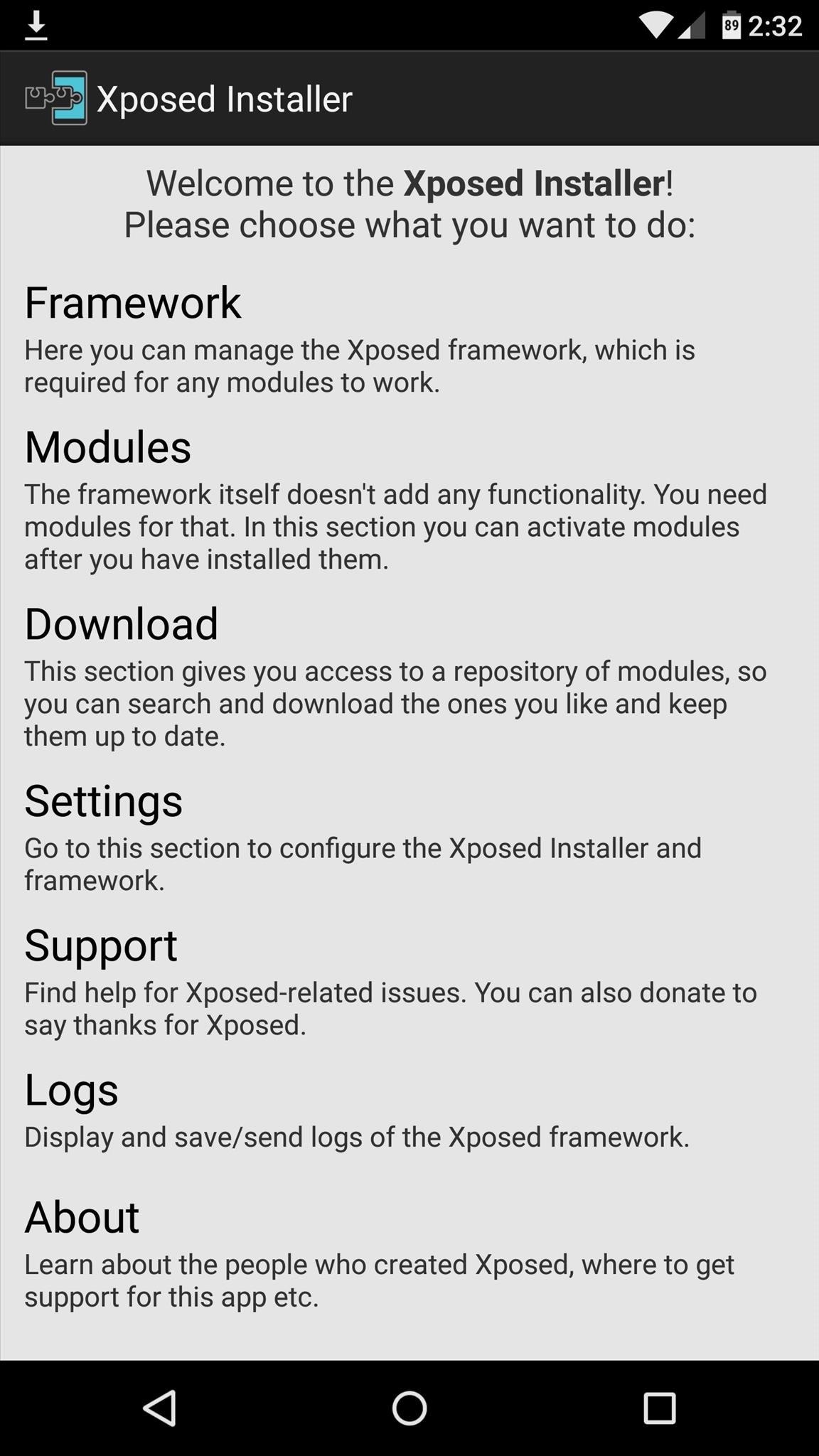
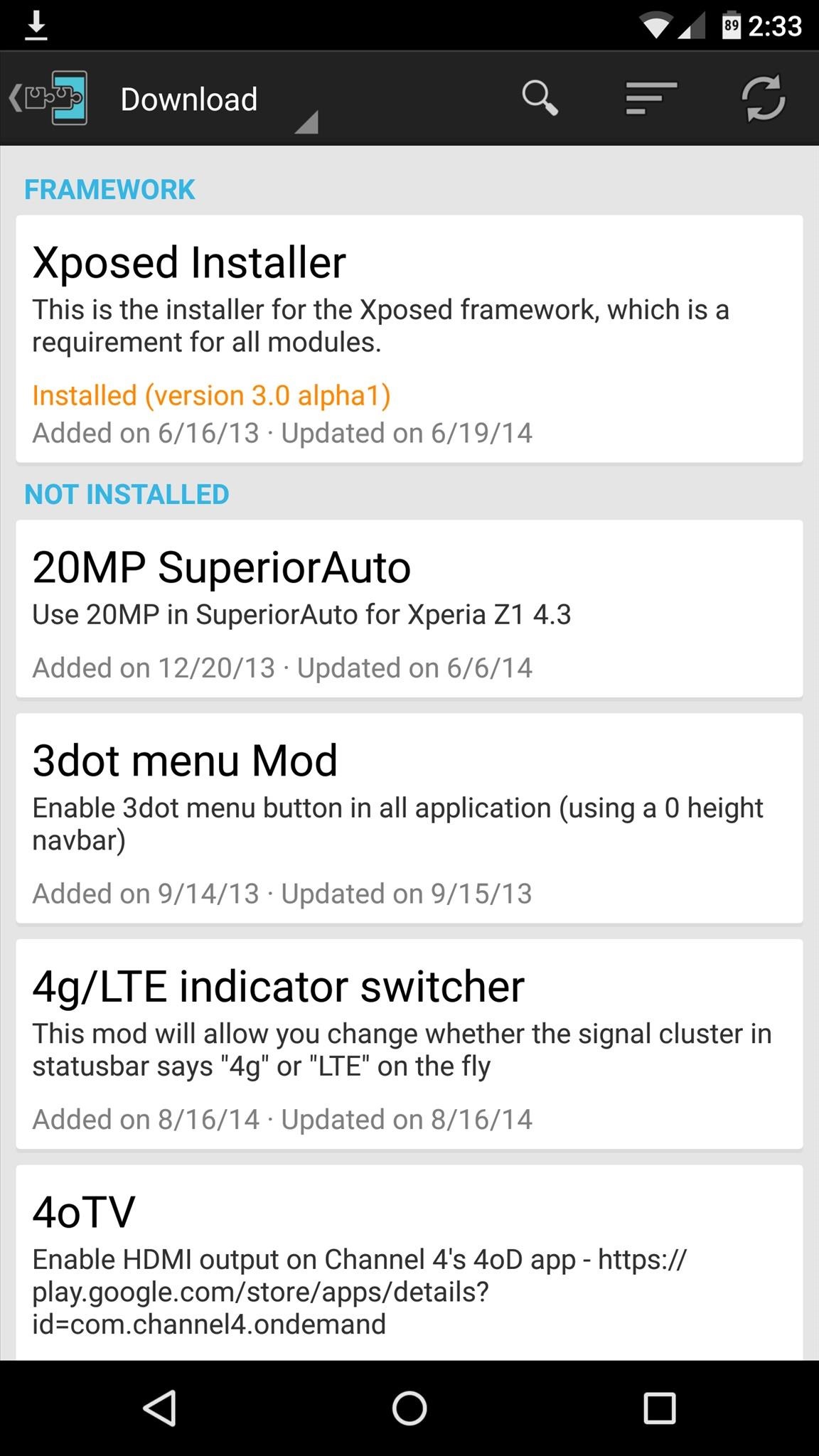
At this point, you should be looking at that familiar Xposed interface we all know and love. Head to the "Download" section to begin browsing modules, but keep in mind that some may not work on Lollipop.

Wednesday, 9 August 2017

ROM] IOS 8 ROM FIST EVER FOR MT6592 DEVICES OCTACORE


[ROM] IOS 8 ROM
FIST EVER FOR MT6592 DEVICES
OCTACORE


Note: Read everything first before commenting or asking anything, otherwise, I’ll ignore you.If you have any concerns or you discovered new bugs, please kindly comment it here.

** NOTE **
Back up first! I'm not responsible if you brick your device or anything happens to your phone.

                                   
** ROM DETAILS**
- SINGLE SIM ONLY
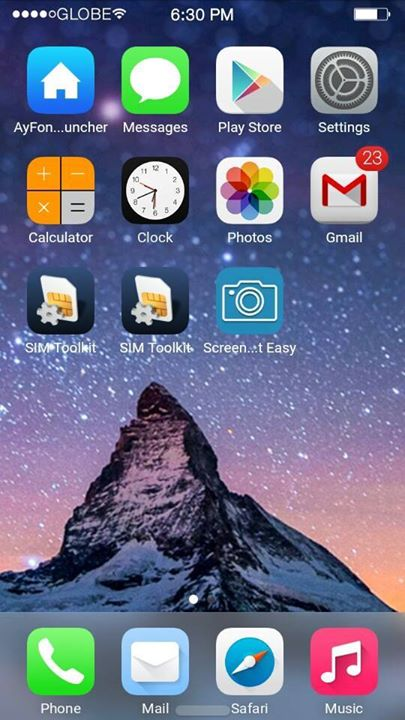
- 95% Iphone 5 UI and Framework
- Rooted
- Powered by Viper4AndroidFx
- Built in Xposed
- Built in Gravitybox
- Built in Ayfone Gece Modu
- Smooth Interface
- IOS8 Ringtone and Notification sounds
 **KNOW BUGS FIXED **
- SD card can't read (FIXED)
- Camera Flash not working (FIXED)
- Changing Wallpaper FC (FIXED)
- Gravitybox not working (FIXED)
- Internal storage can't read (FIXED)
- Overheating while charging on screen off (FIXED)
THAT’S ALL FIXES I CAN DO (YOU CAN SEARCH FOR OTHER BUG FIXES)

** Known Bugs  **
 - Inaccurate Internal / Storage
 - let me know if there’s any

DOWNLOAD LINKS
SOON
COMMENT BELOW IF U WANT THIS

DOWNLOAD LINK FOR PORTERS
LINK

link 2  with my support

Sunday, 6 August 2017

Aicp 10 5.1.1 Based Rom for lava iris x8 (mt6592)

Aicp 10 5.1.1 Based Rom for lava iris x8 (mt6592)


The Android Open Source Project

Code:
/*
* Your warranty is now void.
*
* I am not responsible for bricked devices, dead SD cards,
* thermonuclear war, or you getting fired because the alarm app failed. Please
* do some research if you have any concerns about features included in this ROM
* before flashing it! YOU are choosing to make these modifications, and if
* you point the finger at me for messing up your device, I will laugh at you.
*/


What is AOSP?
AOSP is Android as Google publish without other modifications. More or less AOSP is the Nexus devices stock rom 


This Rom is ported From Nibru H1 Device


Special thanks to, the CM team,OMNI team ,SLIMROMS and of course to all the supporters


Features
working

Dual sim. 1st Sim is 3G.
Video recording (3rd party)
Bluetooth
Wifi
Audio working
Outgoing call working
SMS working and new sms FC fixed.
Themes working.
Camera working
Full UI working
Video playback
Default storage is sdcard.
Explore more by yourself.
Tested with Google Maps
Google Contacts, Calender Sync WorkingYou can choose : Preferred Install Location
All Games,Apps Supported on Play Store (Unlike Before, on CM12)
Omniswitch
Ad blocker
CM12.1 features
Gesture Anywhere
Show CPU Info
App Circle Bar
CM Theme Engine
Notification FC Disabler
LCD Changer (persistent)
Recents Panel Settings
Network Traffic on statusbar
Boot animation changer
Slim’s Heads Up, with the ability to disable QS Tiles

Add Titanium backup
Gapps
Root by kinguser (do not use superuser or superSU or you will lose your titanium backup!!! )


Not Working/Bugs:

Sim2 Data not working
Hotspot
Fm Radio

Q- When u call someone ur phone is reboot A- When your aicp rom will boot just go to setting select the sim which you want to call dont let always ask else everytime if u you call Someone phone Will reboot


DOWNLOAD LINKS
ROM: LINK

PATCH 1 AUDIO : LINK
PATCH 2 CAMERA : LINK updated LINK updated now
Sim reversal fix : LINK

LOW SOUND FIX
LINK

[5.1.1][LAYERS] Minimal OS 3.0 For MT6582 - Stable


Minimal OS For MT6582

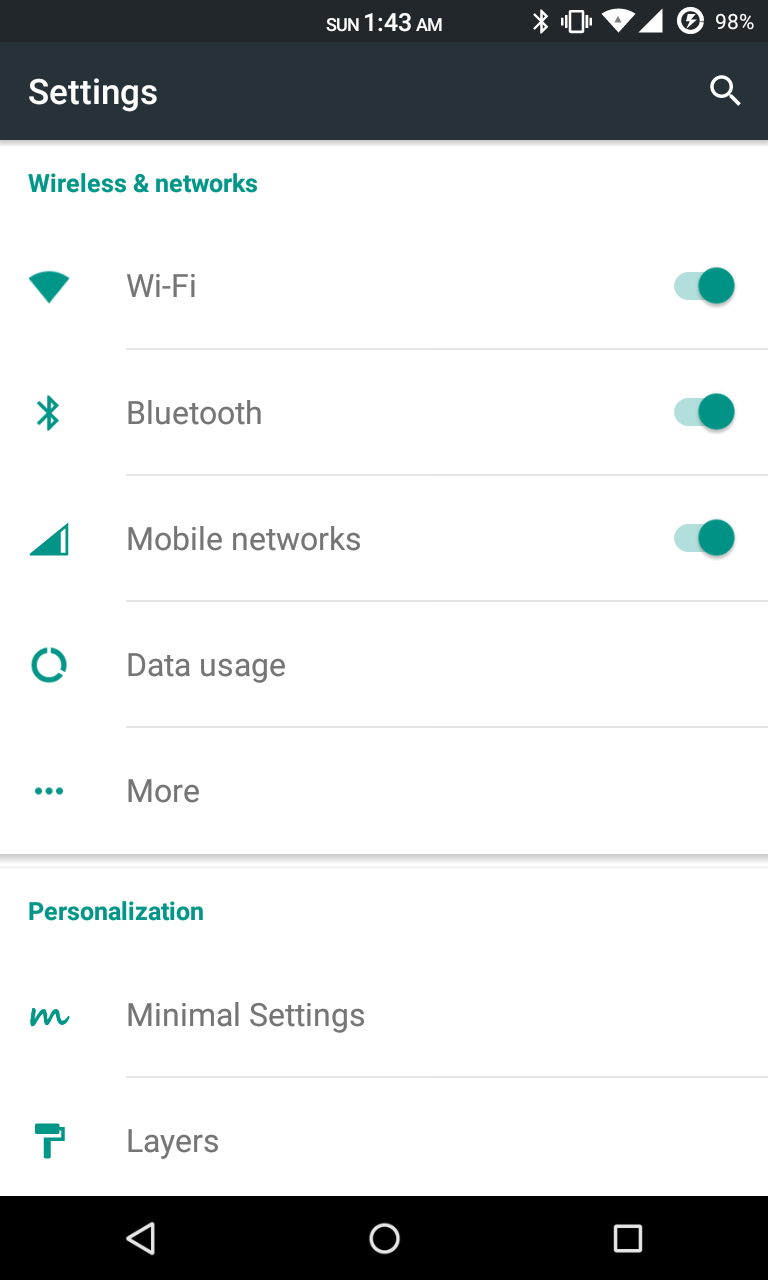
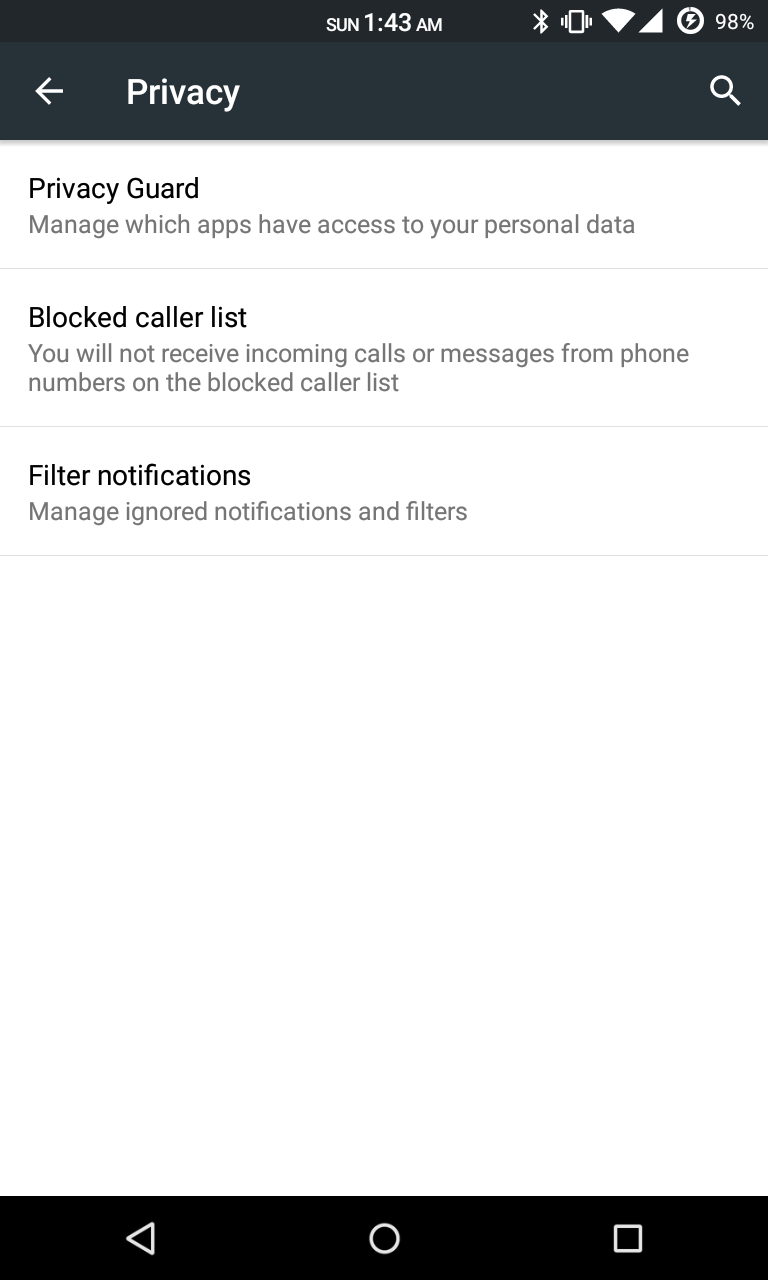
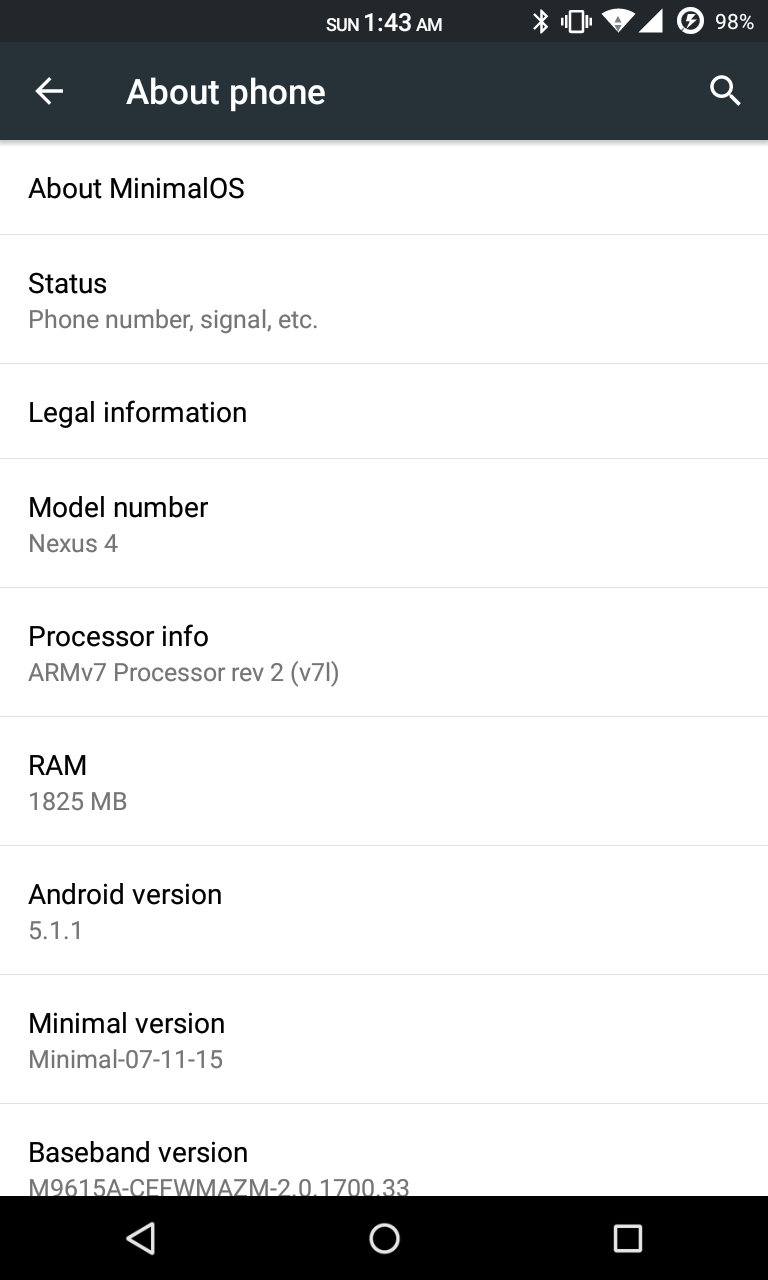
Minimal OS is an after market True AOSP ROM for MT6582 with Layers support. This ROM is pureAOSP. You can perfectly use RRO Layers. Get the Nexus Feel, This ROM is stable, smooth,lightweight and true AOSP.

SCREENSHOTS


DOWNLOAD LINKS 
HERE 

CREDITS 

Saturday, 5 August 2017

Mokee OS for MediaTek MT6582/91/92


Features:
  • ListView animations
  • Multi window
  • Calendar - with lunar and solar calenders
  • Lunar calendar in lock screen
  • Task switching sidebar in recent apps (the list will increase if you install supported apps)
  • Bulk SMS recipients
  • Adjustable SMS font size
  • SMS sending delay
  • Smart dialing
  • Speed dialing
  • IP dialing
  • Custom carrier name
  • Network speed in status bar (upload and download!)
  • Built in timer in Apollo - determine when to stop playing music
  • MoKee Setup Wizard
  • Active Display
  • Adjustable navigation bar height
  • Unique Power Saver functions!
  • Custom screen off animations
  • Customizable recent apps shorcuts
  • Lockscreen notifications
  • Working CM11 theme engine
  • Many more! Since we are constantly adding new features, see changelogs to keep updated!
SCREENSHOTS