Showing posts with label lollipop. Show all posts

Monday, 28 August 2017

MATERIAL UI FOR LAVA IRIS X8


Material ROM FOR LAVA IRIS X8


* Material UI
* Sensor working
* Dual Sim 3g 
* BT Tweks
* Pre-Rooted
* Dolby added
* Gapps Included
* Viper4android added
*Optimized speed and WiFi
*Touch effect optimization
*Optimized CPU running
*Deodex
*Optimized memory management
*Optimized network
*Optimized battery power
*Zipaliagned*
*Improve picture quality and Camera quality
*Unlocked FPS, improving 2D / 3D performance
* Many More....
And Lots Of Stuff I Dont Remember Now


HOW TO INSTALL


1. Place downloaaded rom zip into root of sd.
2. wipe data, cache , dalvik cache using custom recovery
3. select install zip from sd and select rom zip .
4. reboot and enjoy


BUGS
camera not working
soon to be solved


Credits

Pinto Thakur
Amit Kumar
Lan gooner FOR ROM
Manhar Gupta


DOWNLOAD


CAMERA PATCH +AUDIO IN ONE FILE


Resurrection Remix ROM for lava iris x8


About Resurrection Remix ROM
Installation
Downloads 
About Resurrection Remix ROM 


Resurrection Remix the ROM has been based on CM,slim.omni and original Remix ROM builds, this creates an awesome combination of performance, customization, power and the most new features, brought directly to your Device
Many things that in previous versions were tweaked with mods, are now included by default in the ROM so, please enjoy!
Special thanks to, the CM team,OMNI team ,SLIMROMS and of course to all the supporters
Included Main Features


-Navigation Bar
-Enable/Disable Navbar
-Navbar Ring Switch
-Navbar Ring Targets
-Navbar Button Customization
-Navbar Dimensions(Potrait & Landscape)

-Statusbar
-Brightness Slider
-Enable/Disable Show Notification Count
-SuperUser Indicator Switch
-Carrier Label
-Carrier Label Switch
-Carrier label Colour
-Quick PullDown Switch
-Smart Pulldown Switch
-Clock Customizations
-Time & date
-Clock Colour
-Day & date Toogle
-Center Clock/Right Clock Choice
-Battery
-Battery Bar customization
-Battery Icon Customization(circle/landscape/Potrait and more)
-Battery % Text
-Network Traffic Indicator

-Theme Chooser
-RR exclusive PITCH BLACK THEME
-Animations
-Toast Animations
-ListView Animations
-System Animations

-Gestures
-Gestures Anywhere Feature

-App Circle Bar
-Choose apps in App circle
-Trigger Width
-Trigger Hieght
-Trigger Position

-Recents Panel
-Clear All button Switch
-Clear All Tasks Switch
-Clear All Button Location(Top right,Top Left,Top Center,Bottom Left,Bottom Right,Bottom Center)

-Cclock Widget
-CLock And Alarm Customizations
-Weather Panel Customizations
-Calender Events

-LockScreen
-Lockscreen Shortcuts
-Choose upto 5 Shortcuts
-100+ Icons for Shortcuts

-Quick Slider Shortcuts

-Notification Drawer
-Weather Display Switch
-Quick Settings
-Choice to Add 20+ Tiles
-Enable 2/3/4 Tiles per Row
-Enable Disable Birghtness Slider in Notification Panel
-Advanced Location Settings Switch(Choose Battery saving/Device Only/High Accuracy Directly in Notification Panel)
-LongPress Toogles to Enter Settings

-Buttons
-Backlight Timer
-Backlight Strength
-Navigation Bar left/Right handed mode Switch
-Power Menu
-Power Menu End Calls Switch

-Home Button(For devices with HW keys Only)
-Home Button Wake Up
-Home Button answer call
-Long Press Actions
-Double Tap Actions

-Back Button(For devices with HW keys Only)
-Wake Up device Switch

-Menu Button(For devices with HW keys Only)
-Wake Up Device Switch
-Short Press Actions
-Long Press Actions

-Search Button(For devices with HW keys Only)
-Wake Up Device
-Short Press Action
-Long Press Action

-Volume Buttons
-Wake Up Device
-Playback Control
-Keyboard Cursor Control
-Swap Buttons on Landscape mode

-Perfomance Profiles
-LCD Density
-Expanded Desktop Mode
-All New CM Audio FX App
-Heads Up Customizations
-OverAll Smoothness Improvements
-Quick Unlock
-Optimizations to Improve Battery
-ALL cm12 Features
-AND MUCH MUCH MORE
NO ONE READ THE THINGS ABOVE ?
I KNOW BUT IF U DONT READ THIS U LL NOT ABLE TO ENJOY THE ROM!!!!!!!!
TESTED BY ME WORKING CLEAN AND BUGFREE USING  philz RECOVERY I M UPLOADING THE RECOVERY TOO IF NO 1 WANTS TO TAKE ANY RISKS
READ THIS CAREFULLY!!!!!!!!!!!!!!!!!!!!!!


[b][i] Installation Insturaction [indent]
- (Remenber only philz and twrp 2.8.6 can flash this rom )
I recommend to flash it over a freshly install pac or cm11 without wiping data ( not necessary u may proceed without pac or cm11)
1) put d rom in external sd card
2) rboot to recovery > wipe cache davilk cache and data(not recommended for cm11 or pac user)
install zip > navigate to sd card > select zip
3) flash d rom
now the real part begins
after booting d rom u will get blutooth fc ignore this
4) now open app drawer (launcher) > open the app named "selinuxchanger"
5) allow root permission
6) then select "permissive"
without wasting time navigate to setting > developer setting > turn on advanded reboot
7) hold power button
8) click on reboot
9) select soft reboot
voila camera and sensor starts working

Cam not there in launcher
dont worry install any third party app or use camera from lock screen

wifi not turning off
go to setting > wifi > press action key > select advanced > disable scanning always availale

sound very low?
just enable all 3 buttons down in Dolby atom and use any 3rd party music app


Screenshots


PATCHES :-
1st : link
2nd :   link

SUPER SU FLASHABLE LINK (USE THIS IF U LOVE SUPERSU OR USE INBUILT ROOT LIKE IN CM 12.1) : LINK


philz RECOVERY : LINK


HOW TO FLASH A RECOVERY ?
READ THE XDA THREAD CAREFULLY OR JUST LEAVE IT BUT DONT ASK THESE THINGS AGAIN!!!!!!!


FAQ...
Q:Camera and Sensors are not working.
A:Just soft reboot

Q:I can't see installed Apps In My app drawer.
A:Just FC the launcher..
or try using Other Launchers.. 

Q:Sound is low..
A:Just flash Dolby Atmos from here.And enable all three buttons.
If still facing Low sound...go to audio fx and turn it off

Q.Can't Connect to Computer
A. Just go to storage/USB connection/and tick on mtp...
That's it


JUST READ EVERY THING CAREFULLY!!!!!!!! 
HIT LIKE ON XDA TOO IF U LOVED MY WORK OR WANT MORE ROMS :)

Friday, 25 August 2017

SONY WALKMAN ALBUMS MOVIES PORTED FOR JB/KK

SONY WALKMAN™ | The Best Clear Audio Experience (jb/kk)

FEATUREs :
• Latest WALKMAN build 8.5.A.3.2
• New and fresh UI
• Clear audio setting | SoundEnhancement
• Clear audio+
• Equalizer preset (such as Rock, Easy Listening, Jazz, etc)
• Manual mode of preset (Custom and User-defined)
• Clear bass
• Clear stereo
• S-force Front Surround
• Surround Sound VPT (Soundstage option)
• Dynamic normalizer
• Visualizer
• Album art
• Adjust background color following album art
• Music control on notification
• Edit Music Info
• Download Music Info (work on v3.5+)
• SensMe
• Throw function (on v3.5+)
• DLNA/Media server (on v3.5+)
• Qualcomm bass boost (only work for device with snapdragon chipset)
• xLoud (Actived by default) can't settings
• Additional the libs, and files make a more awesome sound output
REQUIREMENTs :
• Rooted
• Deodexed/Odexed (Deodexed is recommended)
• Custom recovery | CWM, TWRP, PhilZ Touch, etc
• Free 40 - 50 MB of memory system ROM on your device
• Used ROM base on Jelly bean 4.1.2, 4.2.2, 4.3.x and KitKat 4.4.2 like AOSP/CM10.2/CM11/PA/AOKP/MIUI/Liquid smooth etc
DOWNLOAD HERE 
 check the instructions too.
*i m not responsible for a bricked device. do it on your own risk. 

Thursday, 24 August 2017

HEATING PROBLEMS IN ANDROID

How To Solve Heat Problem In Your Smartphone

Mostly Android Users Face The Heating Problem With Their Android Smartphone , Some Users Face Heating Problem While Playing Game Some Face Heating Problem Just By A little Bit Use , Heating Of Android Phones occur Mostly Due To Some Apps Running in Back Ground . Those Apps are use less and May push Your android Phone To Heating problem .

And Some Times Heating Of Android Phone Occurs Due To Hardware Failure issues , If There is a Hardware Issue With Your Android Smartphone And it is Giving excessive heat , Then You have to seek Help From Your Nearest android Service centres , Because Android Phone Heating issues  Due To Hardware Malfunction / Failure aren't Possible to Be solved By Software Tweaking . 
The heating in your droid maybe because of RAM and CPU usage so controlling this might be helpful ie by closing apps and not allowing them to work in background

HOW TO SOLVE THIS ?

FOR NON ROOTED USERS
Try this app
This can boost your nonrooted phone everytime u ask for a boast

Another best app to boast your device and to make it cool is this
*for its material ui and easy interface


FOR ROOTED USERS

BASIC REQUIREMENTS

  • ROOTED ANDROID (ICS+)
  • XPOSED INSTALLED
  • PATIENCE


* DO AT YOUR OWN RISK I WOULD NOT BE RESPONSIBLE FOR A BRICKED PHONE

*for instructions to install xposed check my previous posts

Download this app here

best app for rooted users and does its work itself no need to boast the device again and again

Another good app is this

a app if set properly can change your android smartphones battery life 

App list is too long and many on beta version so be connected for updates i m testing them 

Wednesday, 23 August 2017

[ROM]HYBRID LG G3 -- BASED ON DARK Lfor mt6592 octacore devices

[ROM]HYBRID LG G3 -- BASED ON DARK L for mt6592 octacore devices


Great news to SKK LYNX the porting team ARGN has released a new ROM LG G3 themed AOSP ROM with amazing features

** Bugless ROM*
* LG G3 themed UI*
* Google keyboard*
* More Ram Space*
* Good Battery saver *
* Stable and Smooth*
* Increased Camera Quality*
* Dolby Effects added*
="border-style: initial; border-width: 0px; box-sizing: border-box; margin: 0px; padding: 0px;" width="738px">
* Bloat Wares Removed*
* Fully Deodexed *
* LG G3 ringtones *
* Dark L Features 4G speed H+
* And Much More.......


HOW TO INSTALL?
(Phils/TWRP/CWM)
Go to recovery...
Clean to install new rom
install zip
after installing the zip wipe cache and dalvik/art cache then REBOOT!
and choose no.

--CREDITS--
UNITED OF LYNX PORTING TEAM
TEAM ARGN
DARK L TEAM

[ROM] MIUI v7 5.9.17 Global For MT6592 (Dual 3G)

[ROM] MIUI v7 5.9.17 Global For MT6592 (Dual 3G) FOR PORTERS ONLY 
Disclaimer: I am not Responsible to any or what may happen to your device.
Make Sure you have a full back up of you stock rom (Current rom)
The ROM is fully tested and Currently on running on my device.
MIUI 7 China Developer ROM 5.9.17 Update Highlights
[System]
Cleanup in Recents now supports cleaning app cache
[Music]
New Music App Interface
MIUI 7 China Developer ROM 5.9.17 Full Changelog
[System]
Optimization - Clean up shortcut supports cleaning apps' cache (09-15)
Optimization - Apps locked in recent task page will not be closed by system when remaining RAM is low (09-15)
Optimization - Reduced WiFi power consumption (09-17) (Redmi Note 2)
Fix - In some situations the screen might flicker (09-17) (Redmi Note 2)
Fix - Sometimes switching WiFi caused the system to get stuck (09-17) (Redmi Note 2)
Fix - There were noises when playing some games after turning media volume off (09-17) (Redmi Note 2)
Fix - Sometimes bluetooth car kit could not be connected (09-17) (Redmi Note 2)
[Lockscreen, Status Bar, Notification Bar]
Optimization - Reduced status bar RAM usage (09-15)
Fix - Sometimes, notifications' order changed automatically in Notification shade (09-15)
Fix - Music widget play/pause button had error in some situations (09-15)
Fix - Sometimes status bar disappeared (09-15)
[Home screen]
Optimization - Removed 'Lock SMS' option from Child mode (09-14)
Optimization - Unified third party apps' launching animation (09-14)
Optimization - Enhanced home screen smoothness and speed of opening folders (09-15)
Fix - Black line in right side of screen after formatting device/initilaizing home screen (09-14)
Fix - Display error when using images taken by the device as wallpaper (09-14)
[Gallery]
Optimization - Reduced large image page RAM usage (09-15)
Optimization - Optimized cloud albums large image downloading progress bar style (09-15)
Optimization - System will use default wallpaper when stop using baby album as lockscreen wallpaper (09-15)
Optimization - Support setting avatar and background image for baby album (09-15)
Fix - Sometimes, recommendation text overlapped with current images (09-15)
[Music]
New - Brand new UI with more music resources (09-15)
[Calendar]
Fix - SwiftKey keyboard could not input Chinese in Calendar app (09-15)
[Clock / Calculator]
Optimization - Added vibration when pressing the options at the bottom of clock page (09-16)
Installation:
CWM:
Reboot To Recovery
- Wipe all Data
- Wipe Cache
- Wipe Dalvik Cache
Install Zip
- ROM
- Dap
- KingUser
Reboot ! & Enjoy
PhilZ:
Reboot To Recovery
- Wipe all Data
- Wipe Cache
- Wipe Dalvik Cache
Install Zip
- ROM
- Dap
- KingUser
Reboot ! & Enjoy
How to's:
1. Enabling 3G on SIM 2
1. Open the provided Dual SIM Control App and go to Data Connection tab
2. Press on "Set SIM 2 as 3G" it'll now set your SIM 2 in "WCDMA Preferred" mode. Enjoy 3G on SIM 2. If you want to set as "WCDMA Only" mode, follow step 3, 4 & 5
3. go to settings/about phone and tap 4 or 5 times on Internal Memory, it'll lead you to testing mode
4.From Testing, press Phone information 2
5.You'll see "WCDMA Preferred" press it and change it to "WCDMA Only"
credits 
NAMELESS PORTING TEAM'
FACEBOOK
MIUI

ROM DOWNLOAD 

audio patch LINK

Tuesday, 22 August 2017

LOLLIPOP RECENT PANEL FOR ANDROID


BASIC REQUIREMENTS

  • ROOTED ANDROID (ICS+)
  • XPOSED INSTALLED
  • PATIENCE

* DO AT YOUR OWN RISK I WOULD NOT BE RESPONSIBLE FOR A BRICKED PHONE

  • *for instructions to install xposed check my previous posts

DOWNLOAD THE MODULES YOU WANT:

– Firstly, note that some modules work on all devices and some work for specific mobile brands.
Download this xposed module form this link.
Install the module and reboot your device.
open the app any personalize the way you want it to be.
What will you personalise
  • you get a lollipop status + notification bar
  • a recent panel like lollipop
  • dailer ui from lollipop (few devices)
  • animations from lollipop
  • for recent panel follow these screenshots

 select the experimental notification settings from the system ui and reboot is must.

Saturday, 19 August 2017

Making Our device a bit better

*Thanks to slad480

Features 

- Full memory management.
-Linux kernel tweaks and improvements for better performance and battery life.
- Entropy generator engine used to reduce lags.
- Zipalign apps in "/system" and apps in "/data" every 48 hours which result in less RAM usage.
- Sqlite optimizations and faster database access.
- CPU governors tweaks and improvements for better performance and battery life.
- Increased SD Card read-ahead cache to 2048 KB .
- Ad blocking.
- Build.prop tweaks and improvements.
- Cleans log files and tombstones at every boot.
- Many other tweaks for better performance and battery life!


How to install :

Before Flashing please do a nandroid backup to avoid any incompatibility issues.
1. Download the Fly-On Mod main pack and sqlite pack according to your phone's Android version.
2. Rebooting into recovery mod.
3. Install Signed_Fly-On_Mod_V4.0-Alphax.zip and sqlite_xversion.
4. Reboot and feel the smoothness!


link to flashable zip
orignal xda thread http://forum.xda-developers.com/showthread.php?t=2226373
* I M NOT RESPONSIBLE FOR BRICKED DEVICES

Friday, 18 August 2017

HOW TO FLASH A ROM USING CTR RECOVERY

HOW TO FLASH A ROM USING CTR RECOVERY

If you fear of bricking your device then make a backup by going into 'Backup and Restore' option and click on Backup. It will backup your whole system files with data except SD Card data.
How to Flash Custom Roms on Gionee M2 using CTR Recovery | With Screenshots

Click on Wipe Menu and then click the first one Wipe Preflash to format system, data and cache files. After they are done, swipe left to go back.How to Flash Custom Roms on Gionee M2 using CTR Recovery | With Screenshots


Now, tap the custom rom zip which you want to install.

How to Flash Custom Roms on Gionee M2 using CTR Recovery | With Screenshots
The rom will start to install.

How to Flash Custom Roms on Gionee M2 using CTR Recovery | With Screenshots

 After installation, you will see this.
How to Flash Custom Roms on Gionee M2 using CTR Recovery | With Screenshots
Now, swipe left to go back to main screen and click 'Reboot the phone'

How to Flash Custom Roms on Gionee M2 using CTR Recovery | With Screenshots

After reboot, you will see Boot Animation of the Custom rom you just flashed.

How to Flash Custom Roms on Gionee M2 using CTR Recovery | With Screenshots
voila u flashed a custom rom

Wednesday, 16 August 2017

making any rom lag free

How to make your low end devices lag free and lightning fast.

HERE IS A SIMPLE BUT THE MOST EFFECTIVE WAY TO DO SO:

INSTRUCTIONS

Download this simple app from the link here (xda version) or here
if u liked the app plz buy it from here

(thanks t its developer)
and modify as shown below 

  Seeder Kills Lag in Android, Seriously Boosts Your Phone's Performance

Tuesday, 15 August 2017

XPOSED FOR LOLLIPOP (CM 12.1 AND BASED ROMS)

XPOSED FOR LOLLIPOP (CM 12.1 AND BASED ROMS)


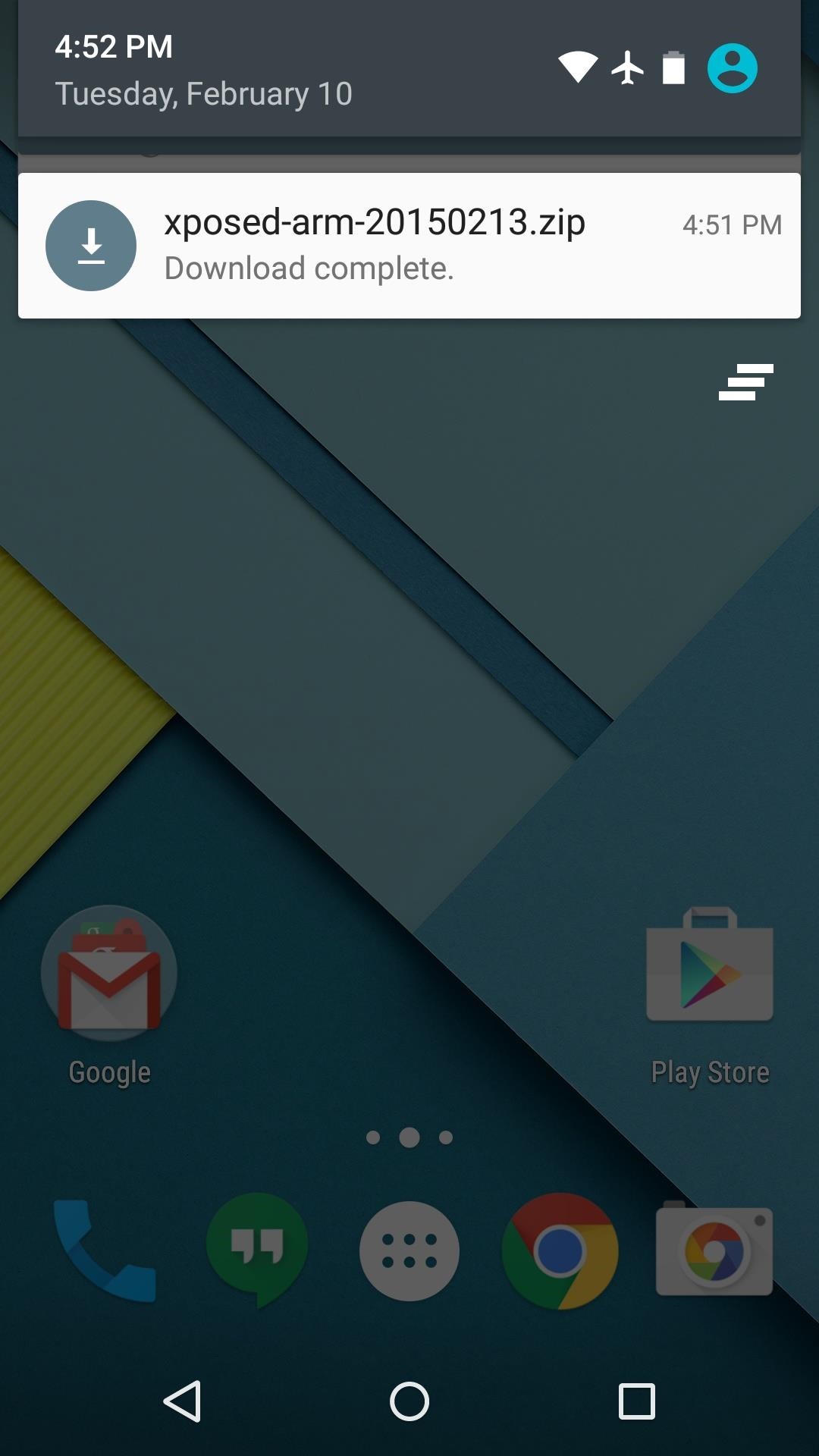
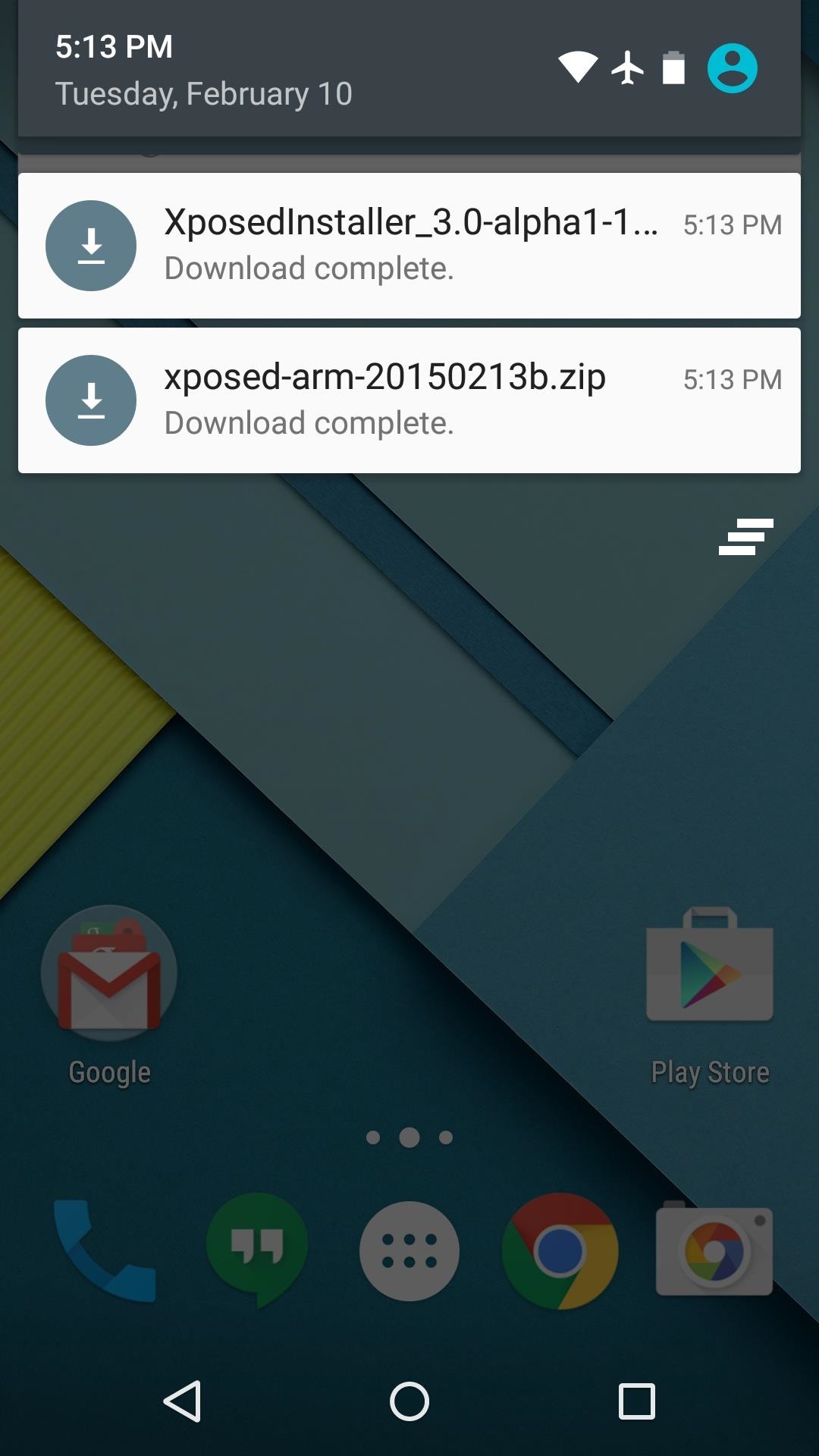
Step 1: Download Necessary Files

There are two core elements to Xposed—one is the Xposed Framework, which lays all of the groundwork, and the other is the Xposed Installer app, which allows you to download and manage modules. First up, grab a copy of the Installer from the following link:
In these early stages of Lollipop development, the Framework will have to be flashed in custom recovery. There are 3 different version of the Framework, and they each correspond to a different type of processor (ARM, ARM 64, x86). If you're not sure about the type of processor your Android device uses, check the spec sheet on a site like GSMArena, then download the corresponding ZIP file from one of these three links:

Step 2: Boot into Custom Recovery

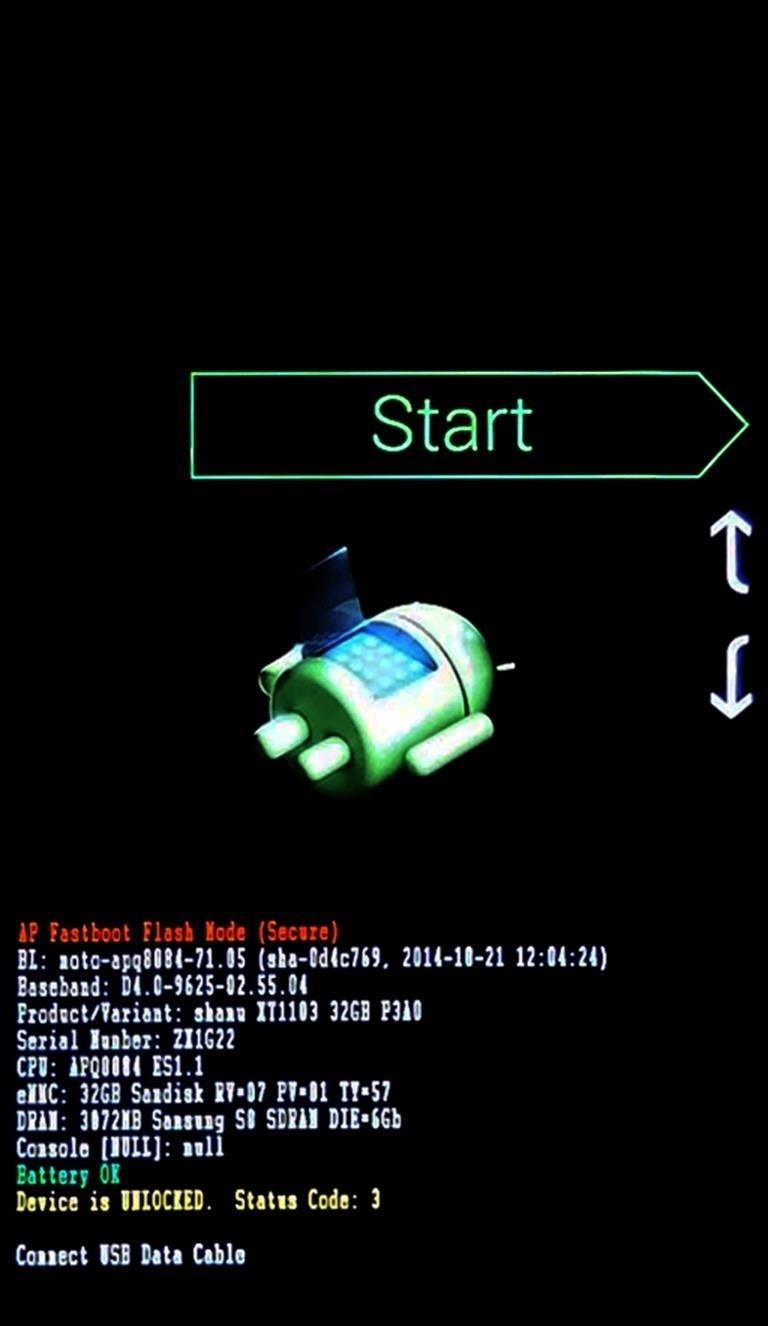
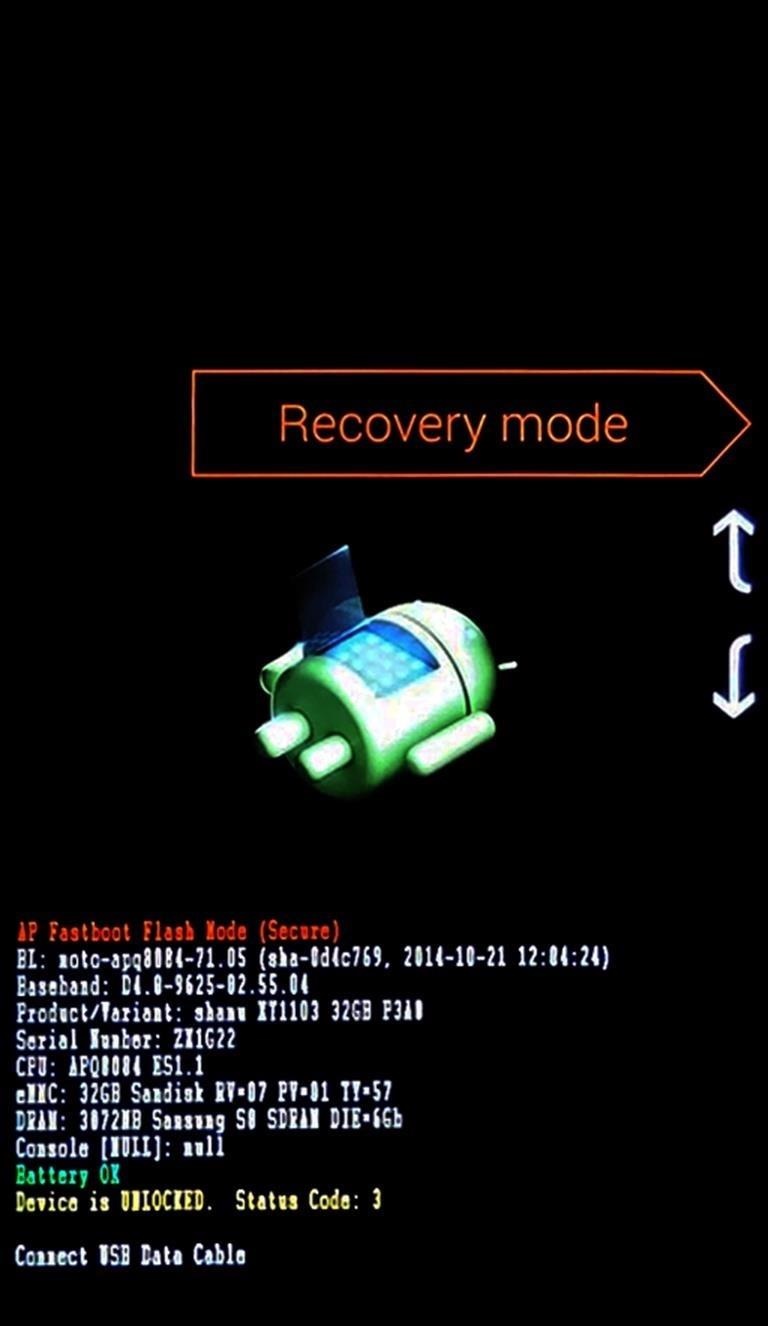
When the files have finished downloading, the next step is to boot into custom recovery. To do that, start by powering your device completely off. This next part may vary, but for most devices, press and hold the volume down and power buttons simultaneously.
This will bring up Android's Bootloader menu. From here, use the volume down button to highlight "Recovery mode," then press the power button to select it.

Step 3: Install the Framework in Custom Recovery

Before you flash anything in custom recovery, it's always a good idea to make a full NANDroid backup. That's extra important in this case, since the Xposed Framework is in its early stages and may cause issues with some devices. Do not skip this step!
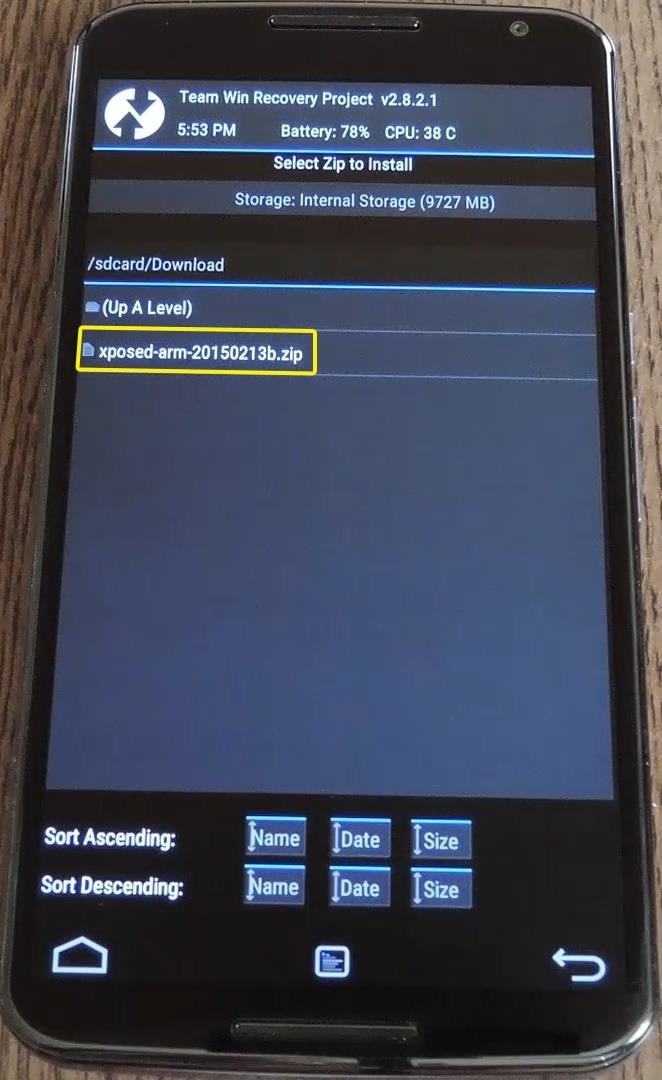
Then, to get started, go ahead and tap the "Install" button from TWRP's main menu. Next, navigate to your device's Download folder, then select the Xposed ZIP file that you downloaded in Step 1.
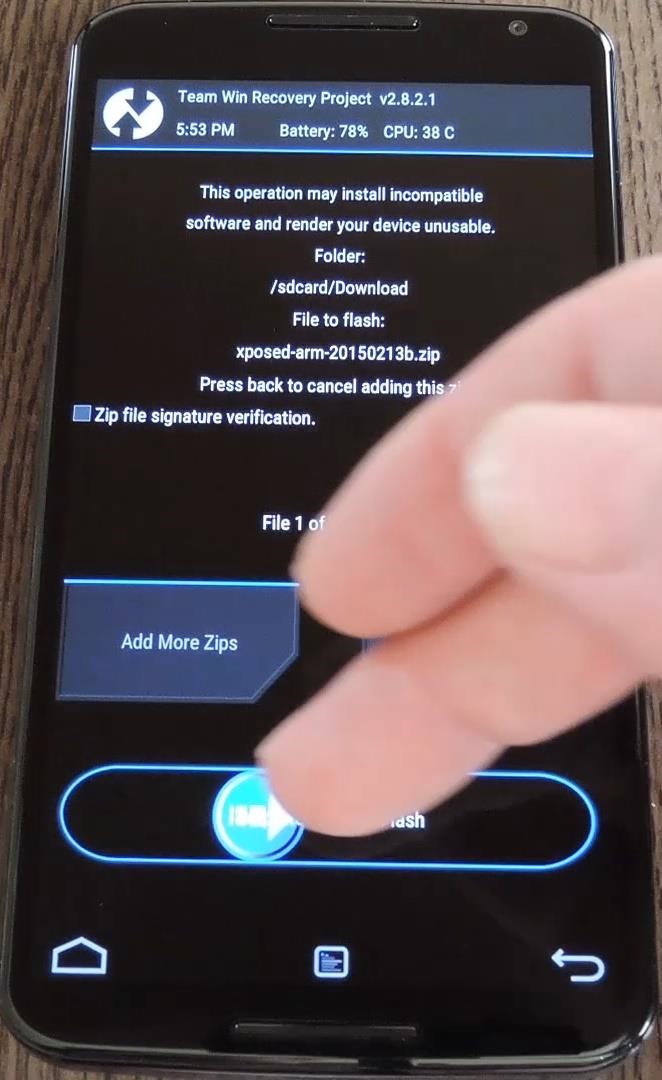
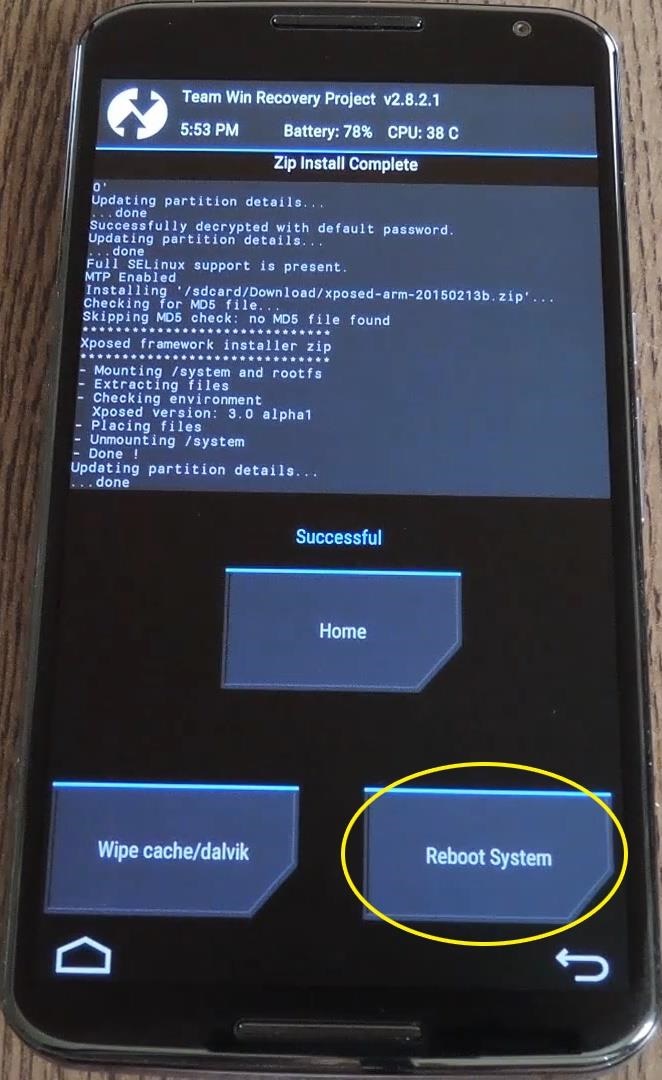
After that, just swipe the slider at the bottom of the screen to install the Framework, and when that's finished, tap "Reboot System."
Your device will take longer than normal to boot up here. This is because the Xposed Framework ZIP had to clear away some library files, which will need to be restored. Expect this process to take at least 10 minutes.

Step 4: Install the Xposed Installer App

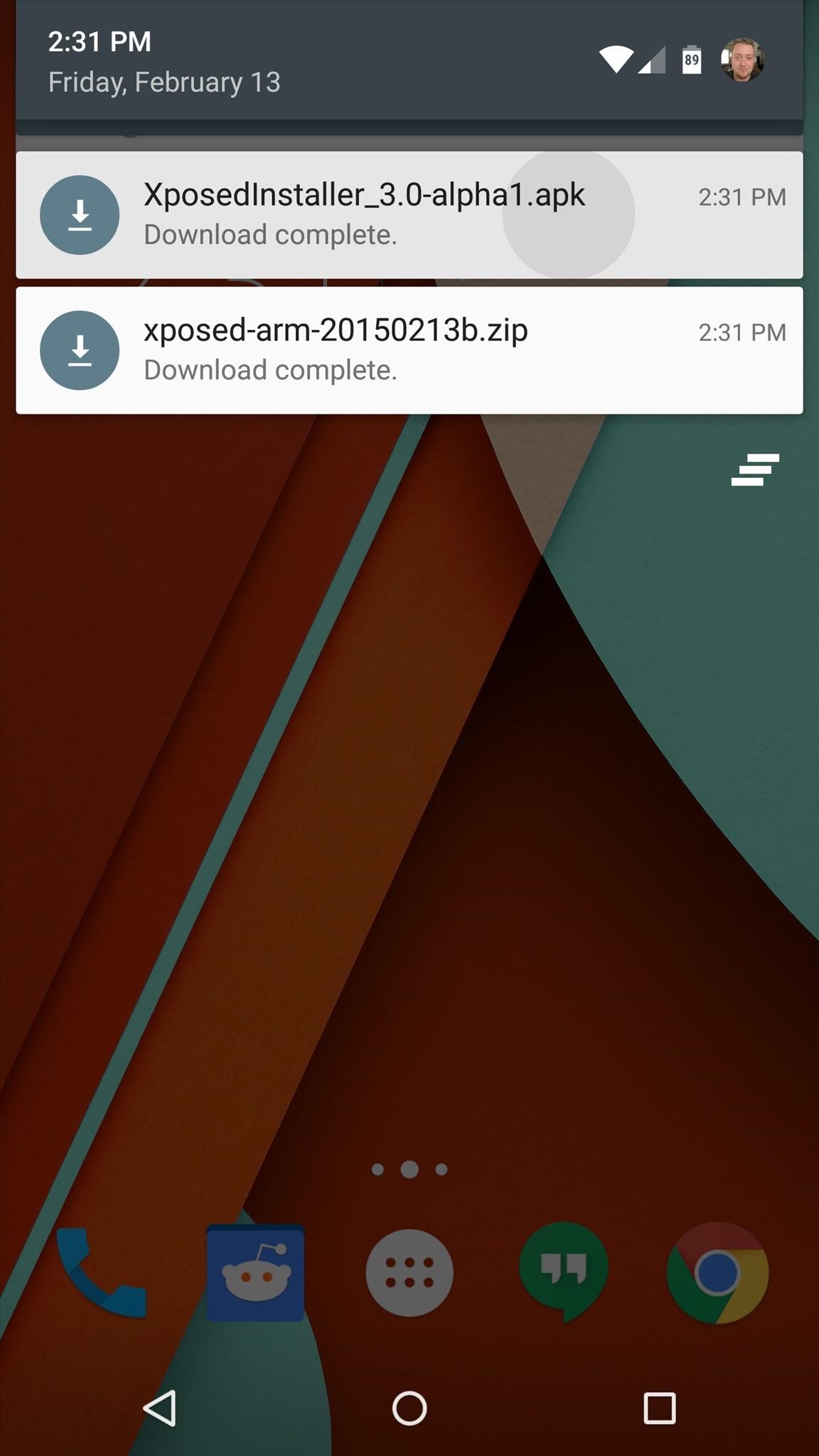
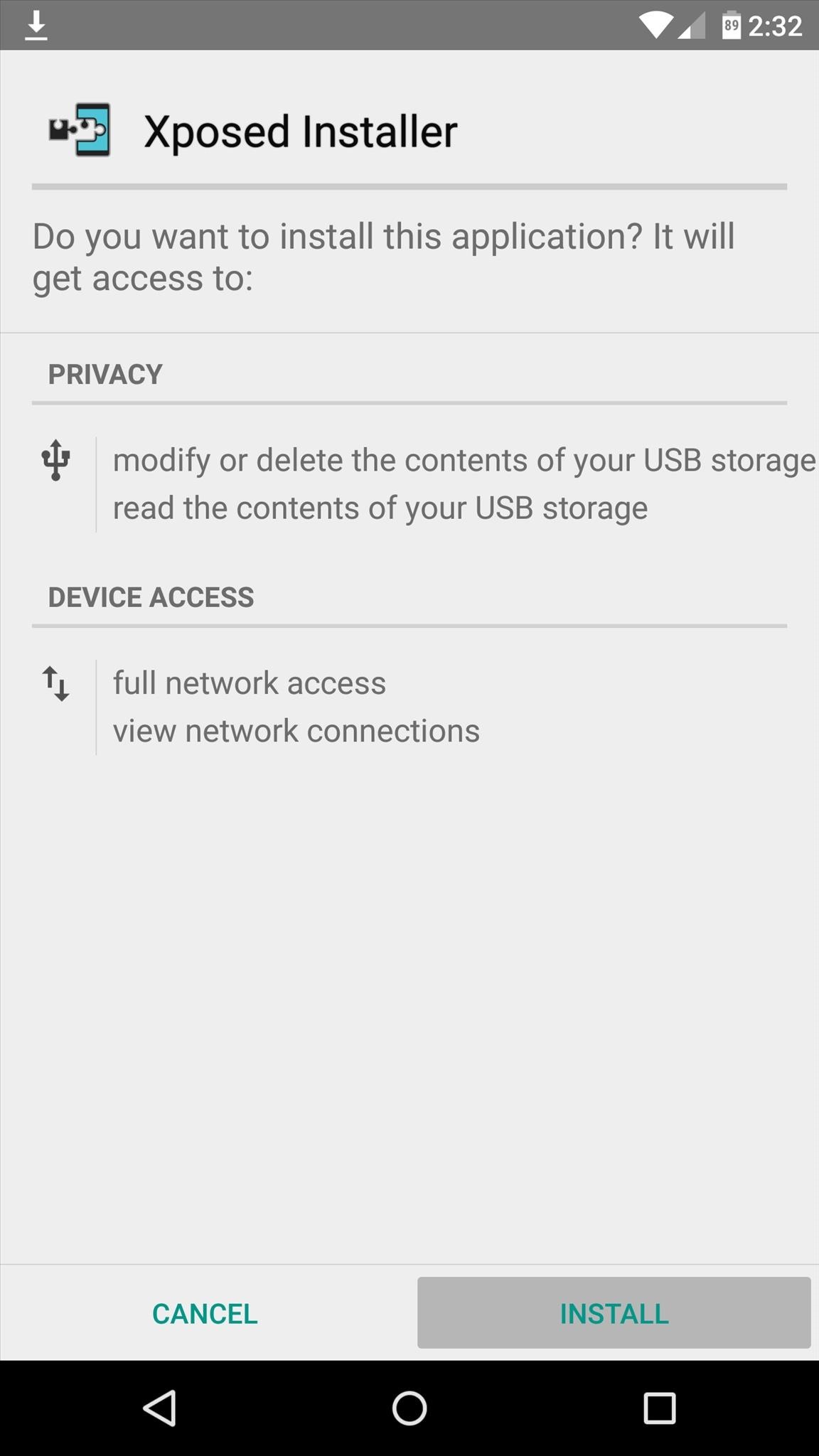
When you get back up, it's time to install the actual Xposed Installer app. Tap the Download Complete notification for the "XposedInstaller_3.0-alpha3.apk" file, then press "Install" and "Open" on the next two menus.
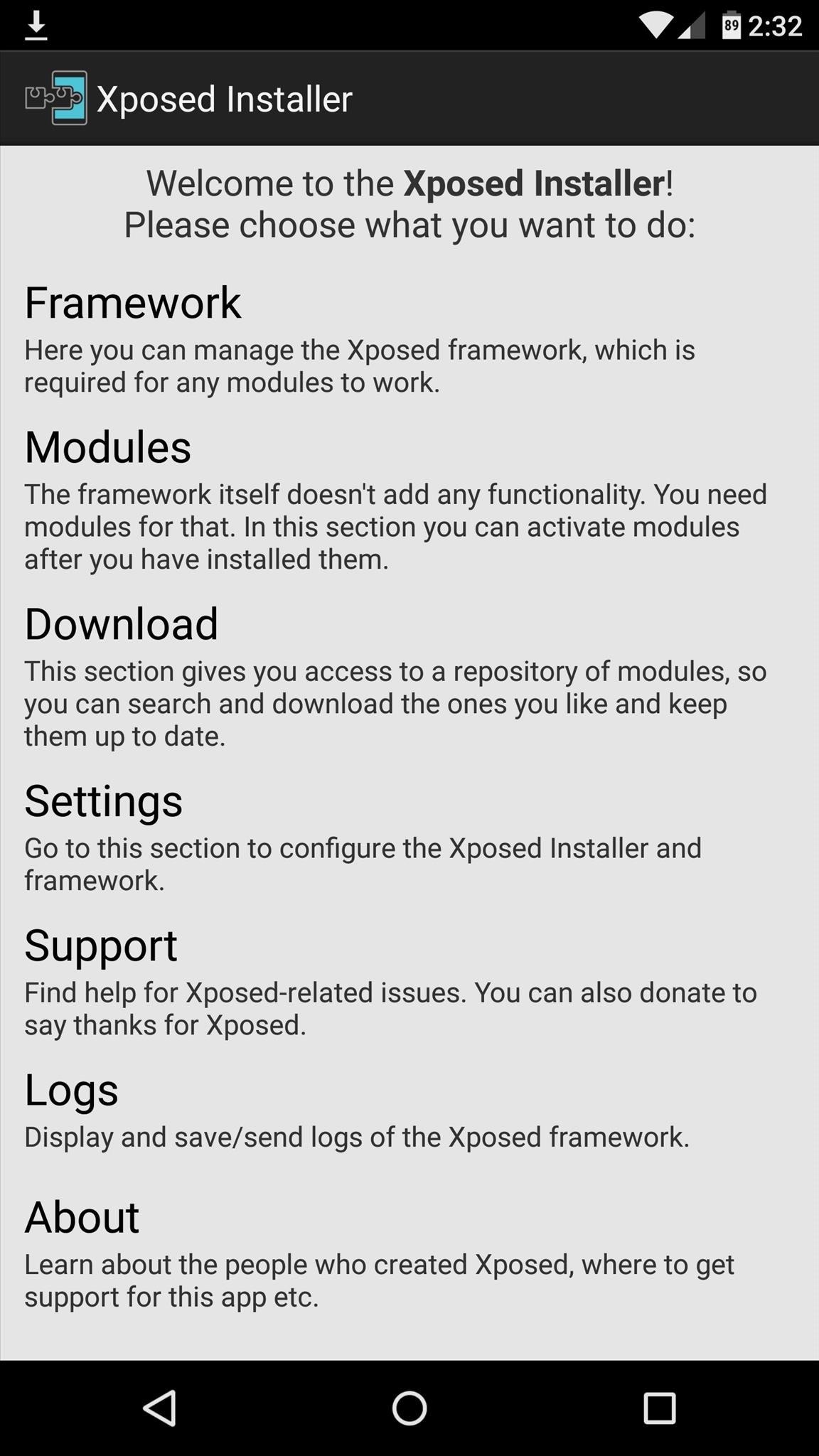
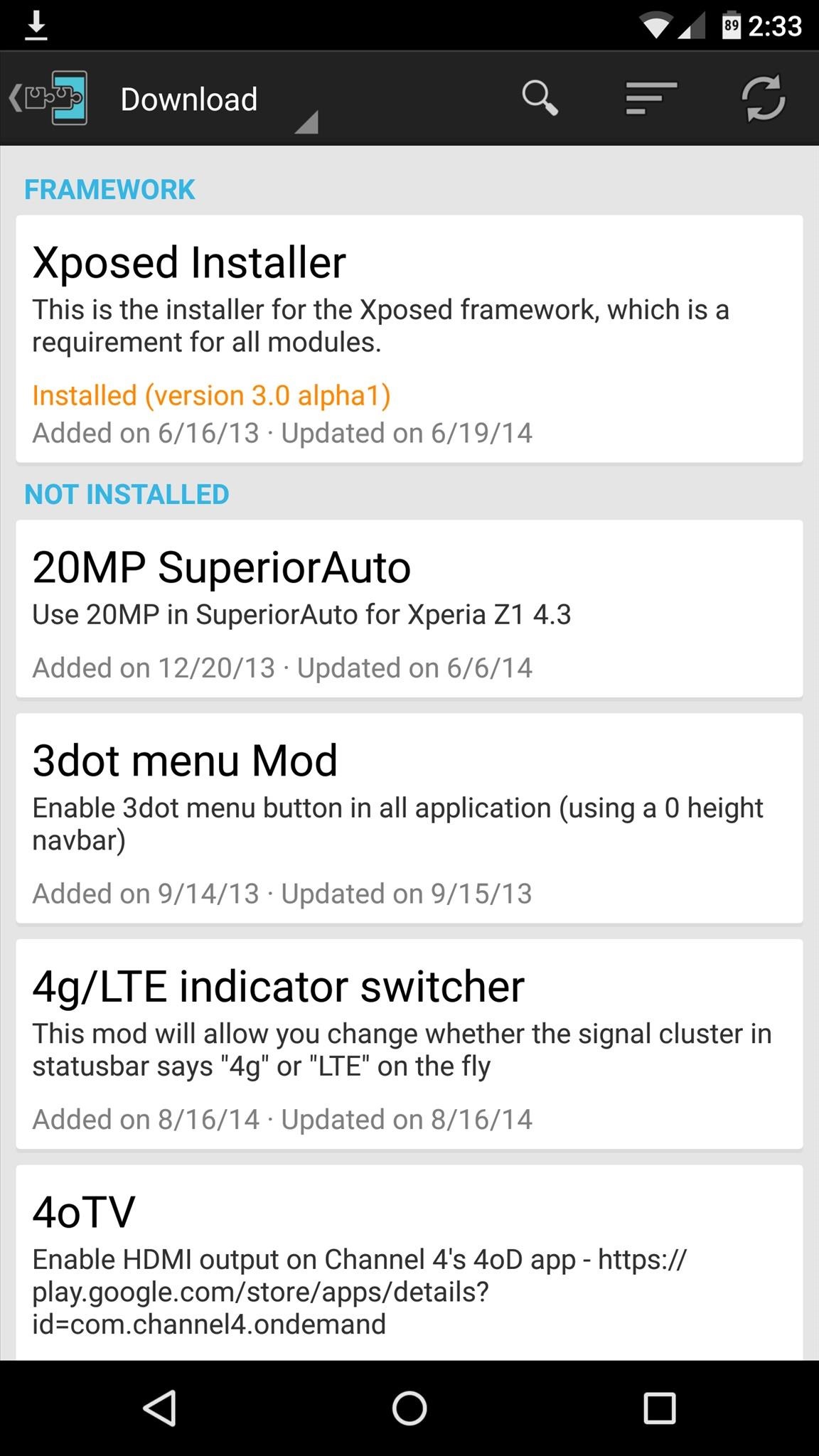
At this point, you should be looking at that familiar Xposed interface we all know and love. Head to the "Download" section to begin browsing modules, but keep in mind that some may not work on Lollipop.