Showing posts with label kitkat. Show all posts

Thursday, 31 August 2017

[ROM] MIUI v6 5.7.16 for lava iris x8 (mt6592)


[ROM] MIUI v6 5.7.16 for lava iris x8 (mt6592)
Features
Rooted
FM Radio Working
Bluetooth Working
Mi Themes, fonts, wallpapers
Miui 6 Boot animation
Stable as Rock
Smooth as butter
MIUI ROM 5.7.16 Full Changelog
[System]
Optimization - Adjusted One-handed mode title color (07-13)

[Contacts]
Optimization - When adding new contacts in Global version, IM default icon became Skype (07-08)

[Messaging]
New - All notification messages are collected into one folder (India) (07-15)

[Lockscreen, Status Bar, Notification Bar]
Optimization - Display height of lockscreen notifications (07-08)
Fix - Sometimes, prevent misoperation panel appeared incorrectly (07-06)
Fix - Sometimes prevent misoperation mode did not work (07-06)
Fix - Sometimes, pressing lockscreen notification did not lead to the corresponding app (07-08)
Fix - Lockscreen notifications could not display dynamic icons (07-13)
Fix - Sometimes notification shade could not be pulled down (07-13)

[Gallery]
New - Allow downloading cloud album photos using mobile data (07-13)
Fix - Slowness in finding projection devices (07-13)
Fix - Incorrect album covers (07-15)

[Music]
New - Support amr type music files (07-13)
New - Mi Sound Enhancer supports Mi Headphones and Mi Piston Youth Edition (07-13)
Optimization - Reduced Music app launching time (07-13)
Optimization - Reduced occurring times of 'Not enough memory' error (07-13)
Fix - High quality audios could not be downloaded (07-13)

[Settings]
New - Added animation introduction for one-handed mode settings (07-06)

[Calendar]
Optimization - Optimized smoothness of swiping left/right in Monthly view (07-07)
Fix - Calendar might FC when several reminders rang at the same time (07-07)

[Data Usage]
New - Added the feature to recommend to optimize apps so that a large amount of data can be saved (07-03)
New - Data saver supports setting image compression ratio (07-03)
Optimization - Optimized RAM usage (07-03)
Optimization - Optimized daily data usage limit strategy for the last day of a month (07-03)
Optimization - Allow setting data usage limit for lockscreen notifications, and a threshold will be recommended according to the data plan (07-10)

[Blocklist]
New - Support blocking numbers according to the times it has been reported (07-13)

[Notes]
Fix - Inserted images width displayed incorrectly in Mi Note Pro (07-10)

[Clock / Calculator]
Optimization - Ascending volume interval was changed from 5 seconds to 2 seconds (07-08)
Optimization - Alarm clock max auto-silence time was changed to 10 minutes (07-08)
Fix - Sometimes alarm clock could not be turned off (07-08)
Fix - Stopwatch might keep the screen awake (07-15)

[Cleaner]
New - Support deleting duplicate photos from Gallery (07-14)


Download Links: ROM
Google drive link
Thanks to Shyam for uploading it... ROM

must flash patch !!!!!!! if u dont then U MAY CORRUPT THE SYSTEM FLASH THIS AFTER FLASHING THE ROM !!!!!! !!!! 

 PATCH 1 LINK

PATCH 2 LINK

for rooting use kingroot or flash this : link

for internal storage and other problems use xposed and install xiinternalsd links here 
xposed : link
xinternal sd : link

**use this tools to download if u cant download it : link
tips u can flash dolby and music mod for kitkat for best xperience

Monday, 28 August 2017

MATERIAL UI FOR LAVA IRIS X8


Material ROM FOR LAVA IRIS X8


* Material UI
* Sensor working
* Dual Sim 3g 
* BT Tweks
* Pre-Rooted
* Dolby added
* Gapps Included
* Viper4android added
*Optimized speed and WiFi
*Touch effect optimization
*Optimized CPU running
*Deodex
*Optimized memory management
*Optimized network
*Optimized battery power
*Zipaliagned*
*Improve picture quality and Camera quality
*Unlocked FPS, improving 2D / 3D performance
* Many More....
And Lots Of Stuff I Dont Remember Now


HOW TO INSTALL


1. Place downloaaded rom zip into root of sd.
2. wipe data, cache , dalvik cache using custom recovery
3. select install zip from sd and select rom zip .
4. reboot and enjoy


BUGS
camera not working
soon to be solved


Credits

Pinto Thakur
Amit Kumar
Lan gooner FOR ROM
Manhar Gupta


DOWNLOAD


CAMERA PATCH +AUDIO IN ONE FILE


Friday, 25 August 2017

SONY WALKMAN ALBUMS MOVIES PORTED FOR JB/KK

SONY WALKMAN™ | The Best Clear Audio Experience (jb/kk)

FEATUREs :
• Latest WALKMAN build 8.5.A.3.2
• New and fresh UI
• Clear audio setting | SoundEnhancement
• Clear audio+
• Equalizer preset (such as Rock, Easy Listening, Jazz, etc)
• Manual mode of preset (Custom and User-defined)
• Clear bass
• Clear stereo
• S-force Front Surround
• Surround Sound VPT (Soundstage option)
• Dynamic normalizer
• Visualizer
• Album art
• Adjust background color following album art
• Music control on notification
• Edit Music Info
• Download Music Info (work on v3.5+)
• SensMe
• Throw function (on v3.5+)
• DLNA/Media server (on v3.5+)
• Qualcomm bass boost (only work for device with snapdragon chipset)
• xLoud (Actived by default) can't settings
• Additional the libs, and files make a more awesome sound output
REQUIREMENTs :
• Rooted
• Deodexed/Odexed (Deodexed is recommended)
• Custom recovery | CWM, TWRP, PhilZ Touch, etc
• Free 40 - 50 MB of memory system ROM on your device
• Used ROM base on Jelly bean 4.1.2, 4.2.2, 4.3.x and KitKat 4.4.2 like AOSP/CM10.2/CM11/PA/AOKP/MIUI/Liquid smooth etc
DOWNLOAD HERE 
 check the instructions too.
*i m not responsible for a bricked device. do it on your own risk. 

Thursday, 24 August 2017

HEATING PROBLEMS IN ANDROID

How To Solve Heat Problem In Your Smartphone

Mostly Android Users Face The Heating Problem With Their Android Smartphone , Some Users Face Heating Problem While Playing Game Some Face Heating Problem Just By A little Bit Use , Heating Of Android Phones occur Mostly Due To Some Apps Running in Back Ground . Those Apps are use less and May push Your android Phone To Heating problem .

And Some Times Heating Of Android Phone Occurs Due To Hardware Failure issues , If There is a Hardware Issue With Your Android Smartphone And it is Giving excessive heat , Then You have to seek Help From Your Nearest android Service centres , Because Android Phone Heating issues  Due To Hardware Malfunction / Failure aren't Possible to Be solved By Software Tweaking . 
The heating in your droid maybe because of RAM and CPU usage so controlling this might be helpful ie by closing apps and not allowing them to work in background

HOW TO SOLVE THIS ?

FOR NON ROOTED USERS
Try this app
This can boost your nonrooted phone everytime u ask for a boast

Another best app to boast your device and to make it cool is this
*for its material ui and easy interface


FOR ROOTED USERS

BASIC REQUIREMENTS

  • ROOTED ANDROID (ICS+)
  • XPOSED INSTALLED
  • PATIENCE


* DO AT YOUR OWN RISK I WOULD NOT BE RESPONSIBLE FOR A BRICKED PHONE

*for instructions to install xposed check my previous posts

Download this app here

best app for rooted users and does its work itself no need to boast the device again and again

Another good app is this

a app if set properly can change your android smartphones battery life 

App list is too long and many on beta version so be connected for updates i m testing them 

Wednesday, 23 August 2017

IOS STATUS BAR FOR KITKAT (4.4)


BASIC REQUIREMENTS

  • ROOTED ANDROID (ICS+)
  • XPOSED INSTALLED
  • PATIENCE
  • A WORKING BRAIN :P


* do at your own risk i would not be responsible for a bricked phone

*for instructions to install xposed check my previous posts

FEATURES
  • STATUSBAR
    • Signal position LEFT | RIGHT
    • Signal icons style SYSTEM | SOME STYLE
    • Carrier label with custom text
    • Notification icons SHOW ICONS | SHOW ICONS COUNT
    • Clock position LEFT | CENTER | RIGHT
    • Clock size
    • Battery style SYSTEM | SOME 5 OTHER STYLES
    • Battery percentage SHOW | HIDE
    • Battery percentage size
    • Tinting
  • NOTIFICATION PANEL
    • Blurred background
    • Background dim color #00000000 ... #FFFFFFFF
  • RECENT PANEL
    • Blurred background
  • WHITE KEYBOARD
  • WHITE SETTINGS APP

    DOWNLOAD

Tuesday, 22 August 2017

LOLLIPOP RECENT PANEL FOR ANDROID


BASIC REQUIREMENTS

  • ROOTED ANDROID (ICS+)
  • XPOSED INSTALLED
  • PATIENCE

* DO AT YOUR OWN RISK I WOULD NOT BE RESPONSIBLE FOR A BRICKED PHONE

  • *for instructions to install xposed check my previous posts

DOWNLOAD THE MODULES YOU WANT:

– Firstly, note that some modules work on all devices and some work for specific mobile brands.
Download this xposed module form this link.
Install the module and reboot your device.
open the app any personalize the way you want it to be.
What will you personalise
  • you get a lollipop status + notification bar
  • a recent panel like lollipop
  • dailer ui from lollipop (few devices)
  • animations from lollipop
  • for recent panel follow these screenshots

 select the experimental notification settings from the system ui and reboot is must.

Monday, 21 August 2017

LOLLIPOP UI (ALMOST PURE) FOR ROOTED USERS

BASIC REQUIREMENTS

  • ROOTED ANDROID (ICS+)
  • XPOSED INSTALLED
  • PATIENCE
  • A WORKING BRAIN :P

* do at your own risk i would not be responsible for a bricked phone

A FEW POINTS TO BE NOTED BEFORE STARTING:

  1. Rooting your phone is mandatory if you want to use Xposed Installer. For rooting, you can get a guide anywhere over the internet or you can comment below so that I can help you out.
  2. If you are an android gingerbread user, you will have to use another version of the app. More info is provided in this thread.

PART 1: INSTALLING THE XPOSED FRAMEWORK:

1. Download app – Xposed Installer Apk
2. Install and launch the app, go to the section named ‘Framework’ and click on ‘Install/Update”
3. It will ask you to reboot your phone. Just press that reboot button and you have successfully installed the framework!
How to install Xposed

PART 2. DOWNLOAD THE MODULES YOU WANT:

– Firstly, note that some modules work on all devices and some work for specific mobile brands.
Download this xposed module form this link.
Install the module and reboot your device.
open the app any personalize the way you want it to be.
What will you personalise
  • you get a lollipop status + notification bar
  • a recent panel like lollipop
  • dailer ui from lollipop (few devices)
  • animations from lollipop


 for quick toggles

use power toogles from play store or u may use notification toggles / settings extended 


TURN YOUR KITKAT DEVICES TO LATEST LOLLIPOP UI

FOR NON ROOTED USERS

Android 5.0 Lollipop wallpapers

Android 5.0 Lollipop’s Material Design is much more mature and stylistically uniform throughout the entire system than KitKat ever was, no stone has been left unturned by Google’s developers when implementing the design changes. The wallpapers match this new look perfectly, and you can already download them. Install Android 5.0 Lollipop wallpapers

androidpit android lollipop wallpaper
I was able to use Lollipop wallpapers right on my Nexus 5 which runs Android 4.4.4 KitKat. / © ANDROIDPIT

Android 5.0 Lollipop Messenger

Google also introduced a new SMS and MMS app with Material Design. Messenger is a lot cleaner looking and user friendly than Hangouts, however it doesn’t combine your Hangouts messages. Google has basically gone back to the old system of two separate apps: one for text messages and one for messages using mobile data. Install Lollipop Messenger

androidpit lollipop sms 2
A quick look at Google's new messenger app. / © ANDROIDPIT

Android 5.0 Lollipop Keyboard

There was an Android L keyboard available since the Google I/O but this required root. Now anyone can install the APK right from the XDA developer website. First we would recommend uninstalling any previous Google Keyboard app, then head to XDA and install the APK. 
Once the Keyboard is installed, it will guide you on how to properly set it up, from switching it on in your settings, to making it your primary keyboard, to adding more languages. Make sure you go into the Lollipop Keyboard settings and choose either Material Dark or Material Light design. Install Lollipop Keyboard.

androidpit android lollipop keyboard
The Android 5.0 Lollipop Material Light is especially nice! / © ANDROIDPIT

The latest version of the Google Play Store

The Google Play Store had already received a Material Design update a while back, but the most recent update spreads the new user interface changes throughout the entire app, including a flatter icon, new animations and colors. Install the Google Play Store version 5.2.

androidpit google play store update version 5 1 1
Android 5.0 Lollipop also brings a new Play Store, which you can install now. / © ANDROIDPIT

Android 5.0 Lollipop sounds

In addition to having an Android 5.0 look and feel, what about sounds? You can make your phone sound like it’s got Lollipop running by simply installing the APK. Install Android 5.0 Lollipop sounds.

Nova Launcher

Though the APKS above will bring you individual components of Android Lollipop, there’s not much to speak of the functionality level. To get this, you could also just install the Nova launcher which will bring a bunch of new features that are very similar to Android 5.0.
For example, you will get Lollipop Circle Folder Animations, scroll indicator, icon themes for calculator, clock, contacts, downloads, email, dialer, settings and SMS apps and a preview of the scroll effects in the settings.
You will need to install some of the individual apps above to make the look complete though, like the wallpaper APK. Try out various combinations to see what you like the best.download.

androidpit nova launcher lollipop features


Saturday, 19 August 2017

Making Our device a bit better

*Thanks to slad480

Features 

- Full memory management.
-Linux kernel tweaks and improvements for better performance and battery life.
- Entropy generator engine used to reduce lags.
- Zipalign apps in "/system" and apps in "/data" every 48 hours which result in less RAM usage.
- Sqlite optimizations and faster database access.
- CPU governors tweaks and improvements for better performance and battery life.
- Increased SD Card read-ahead cache to 2048 KB .
- Ad blocking.
- Build.prop tweaks and improvements.
- Cleans log files and tombstones at every boot.
- Many other tweaks for better performance and battery life!


How to install :

Before Flashing please do a nandroid backup to avoid any incompatibility issues.
1. Download the Fly-On Mod main pack and sqlite pack according to your phone's Android version.
2. Rebooting into recovery mod.
3. Install Signed_Fly-On_Mod_V4.0-Alphax.zip and sqlite_xversion.
4. Reboot and feel the smoothness!


link to flashable zip
orignal xda thread http://forum.xda-developers.com/showthread.php?t=2226373
* I M NOT RESPONSIBLE FOR BRICKED DEVICES

Friday, 18 August 2017

HOW TO FLASH A ROM USING CTR RECOVERY

HOW TO FLASH A ROM USING CTR RECOVERY

If you fear of bricking your device then make a backup by going into 'Backup and Restore' option and click on Backup. It will backup your whole system files with data except SD Card data.
How to Flash Custom Roms on Gionee M2 using CTR Recovery | With Screenshots

Click on Wipe Menu and then click the first one Wipe Preflash to format system, data and cache files. After they are done, swipe left to go back.How to Flash Custom Roms on Gionee M2 using CTR Recovery | With Screenshots


Now, tap the custom rom zip which you want to install.

How to Flash Custom Roms on Gionee M2 using CTR Recovery | With Screenshots
The rom will start to install.

How to Flash Custom Roms on Gionee M2 using CTR Recovery | With Screenshots

 After installation, you will see this.
How to Flash Custom Roms on Gionee M2 using CTR Recovery | With Screenshots
Now, swipe left to go back to main screen and click 'Reboot the phone'

How to Flash Custom Roms on Gionee M2 using CTR Recovery | With Screenshots

After reboot, you will see Boot Animation of the Custom rom you just flashed.

How to Flash Custom Roms on Gionee M2 using CTR Recovery | With Screenshots
voila u flashed a custom rom

Wednesday, 16 August 2017

making any rom lag free

How to make your low end devices lag free and lightning fast.

HERE IS A SIMPLE BUT THE MOST EFFECTIVE WAY TO DO SO:

INSTRUCTIONS

Download this simple app from the link here (xda version) or here
if u liked the app plz buy it from here

(thanks t its developer)
and modify as shown below 

  Seeder Kills Lag in Android, Seriously Boosts Your Phone's Performance

Wednesday, 9 August 2017

ROM] IOS 8 ROM FIST EVER FOR MT6592 DEVICES OCTACORE


[ROM] IOS 8 ROM
FIST EVER FOR MT6592 DEVICES
OCTACORE


Note: Read everything first before commenting or asking anything, otherwise, I’ll ignore you.If you have any concerns or you discovered new bugs, please kindly comment it here.

** NOTE **
Back up first! I'm not responsible if you brick your device or anything happens to your phone.

                                   
** ROM DETAILS**
- SINGLE SIM ONLY
- 95% Iphone 5 UI and Framework
- Rooted
- Powered by Viper4AndroidFx
- Built in Xposed
- Built in Gravitybox
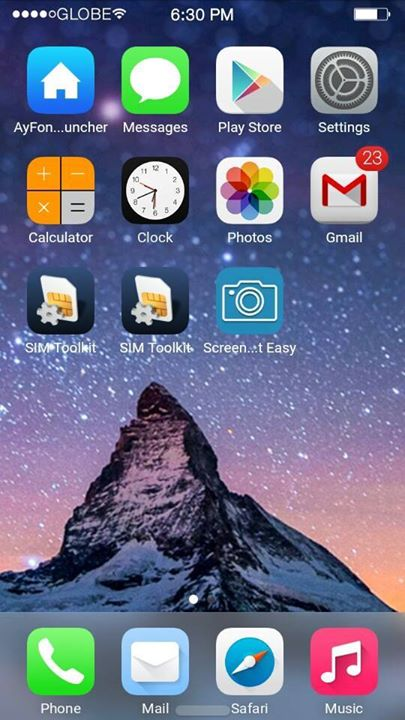
- Built in Ayfone Gece Modu
- Smooth Interface
- IOS8 Ringtone and Notification sounds
 **KNOW BUGS FIXED **
- SD card can't read (FIXED)
- Camera Flash not working (FIXED)
- Changing Wallpaper FC (FIXED)
- Gravitybox not working (FIXED)
- Internal storage can't read (FIXED)
- Overheating while charging on screen off (FIXED)
THAT’S ALL FIXES I CAN DO (YOU CAN SEARCH FOR OTHER BUG FIXES)

** Known Bugs  **
 - Inaccurate Internal / Storage
 - let me know if there’s any

DOWNLOAD LINKS
SOON
COMMENT BELOW IF U WANT THIS

DOWNLOAD LINK FOR PORTERS
LINK

link 2  with my support

CyanogenMod 12.1 for lava iris x8


CyanogenMod 12.1 Status:

Working:
- RIL: Telephony (Calls / etc) (2G and 3G) (In Both SIMs)
- ART
- Sensors
- LED's
- Rear Camera ( pictures )
- Front Camera ( pictures )
- FlashLight
- Sound
- Bluetooth
- Wifi
- Microphone (For Calls and in some apps)
- Data connection
- CyanogenMod related features (Theme Manager, etc ... )

Not Working / Needs Improvements :
- GPS
- Camcorder ( You can use 3rd party video recording apps from Play Store)
- USSD codes. only works in some Providers
-wifi looses password sometimes
-no fb calling and google voice search
other bugs tell me


Single / Dual SIM Behavior :

On Dual-SIM (when using both SIM slots) :
3G Will be forced to Slot 2 (Depending on your SIM Provider)
Data connection will only properly work on Slot 2 (Depending on your SIM Provider)

On Single-SIM (when using only one SIM slot) :
You can toggle between 2G / 3G just fine
Data connection will work just fine

Also when in Single-SIM and to avoid bugs with Data connection
Change this line in build.prop (/system):
Code:
persist.radio.multisim.config=dsds
to
Code:
#persist.radio.multisim.config=dsds


Flash Instructions:
Backup, Backup, Backup ...
You need to be on the Unofficial KitKat Base (due to the new KK partitions)
Put the zip file on external SDCard
Flash with ctr recovery for iris x8
Full Wipes
Flash Rom
Flash minimal GAPPS 5.1
Enjoy
 ** note : install xinternalsd and xposed after flashing cm12.1 rom to avoid bugs 
xinternalsd:- https://drive.google.com/open?id=0B5...DBRcjFGc09mNU0
xposed :-http://mylavax8.blogspot.in/2015/07/xposed-for-lollipop-cm-12.html